Protect your directory data. Define recovery scope from the start.
Prepare the AD agent, domain controller source, policy selection and catalog acceptance; distinguish object recovery from System State and forest recovery objectives.
EraBackup AD V2 separates native VSS, agent/controller and repository transport components. Object/attribute catalogs, deleted-object recovery, System State and full forest recovery require different acceptance tests. A User Computer Object, DNS or GPO UI option does not validate every recovery type.
Screenshots were captured from the actual lab interface on 16 October 2026. The interface is in English; explanations follow your selected language. Resource names, dates and settings are examples; use values for your own environment.
Lab scope: the AD agent returned Connection refused and the new draft had no instances. No policy was saved, no new backup was started and AD was not modified. Forms and historical catalog screens are not evidence of a successful live operation.
Windows Server, domain/forest and DC/agent versions
DNS, time, replication and VSS health checks
Backup identity, required local privileges and repository access
Test OU/object and an isolated recovery acceptance plan
01
1. Record the domain and recovery scope
Record source domain/forest, DC, operating system and agent/master release. Define the objective as attributes, deleted objects, DNS/GPO or System State. For initial acceptance choose a user/computer in a test OU and a low-impact field such as description; do not delete production objects to prepare a test.
Expected result
The source and measurable acceptance objective are defined.
02
2. Complete agent and VSS prechecks
Match service, controller, VSS and datamover components from the approved installation package. Check DC DNS, time and replication health, VSS writer status and repository capacity. Resolve agent connection failures before running a policy. Keep tokens, DSRM passwords and service-account passwords out of screenshots.
Command example
vssadmin list writers
Expected result
Health and access prerequisites are verified.
03
3. Prepare the Active Directory policy
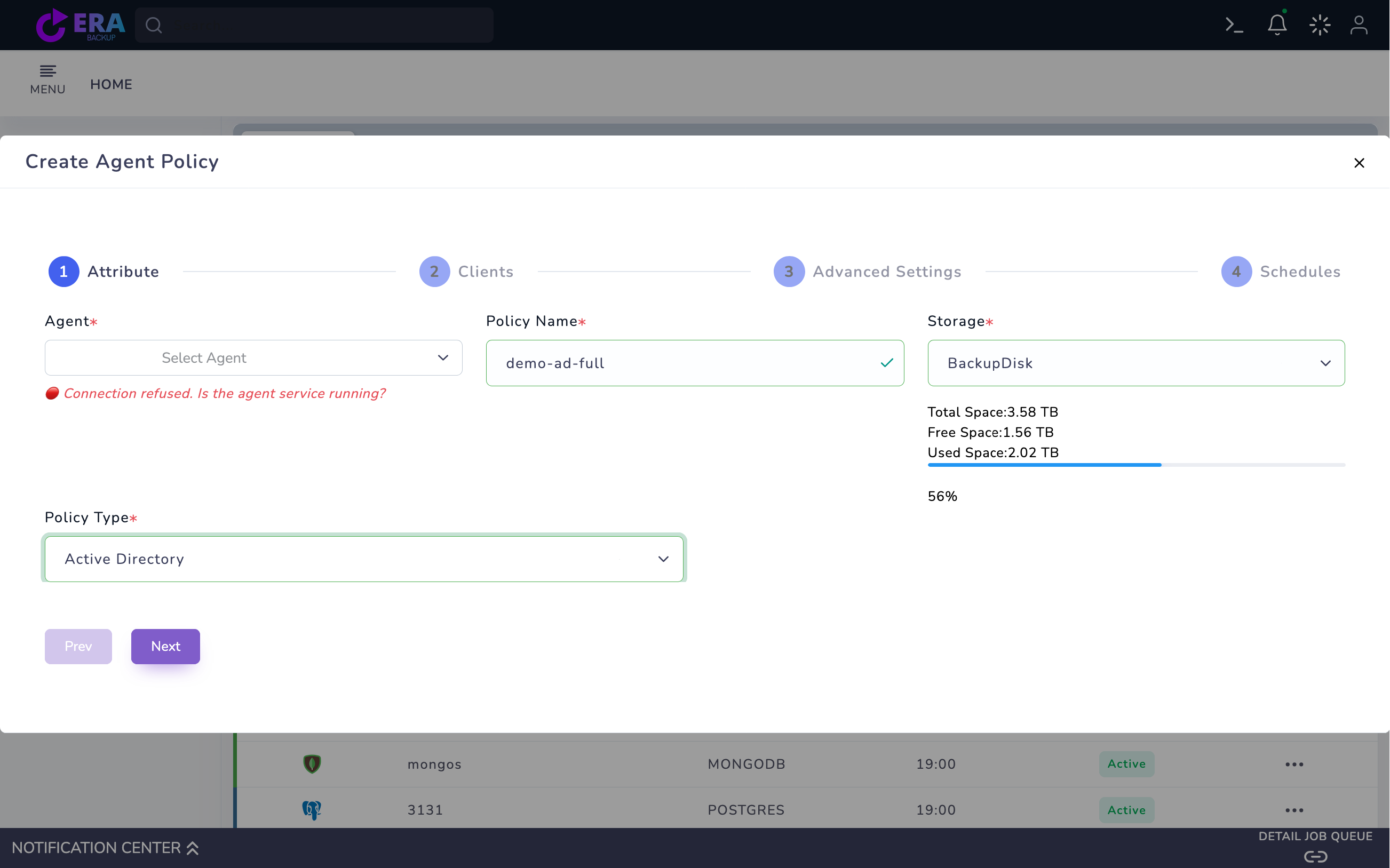
Open Home → Policies → Agent Policy → Create Agent Policy. Select the correct Windows DC Agent, a unique Policy Name and Storage. Choose Active Directory as Policy Type. This step only prepares a draft; a registered agent name does not prove live connectivity or a successful backup.
Agent Policy → Active Directory draft. The Agent field shows Select Agent and Connection refused. This is not a valid connection example; check service/access. The policy was not saved. Enlarge ↗
Expected result
The AD source and repository are mapped.
04
4. Select the instance and protection items
Open the correct AD instance in Clients and inspect available items. Compare User Computer Object, DNS and GPO scope with the installed release catalog/data path. Select only the planned scope for the first test; avoid expanding it unnecessarily with Select All. An empty instance list or inaccessible source is not a successful configuration.
Expected result
Selected items match the acceptance plan.
05
5. Define identity, retention and scheduling
Validate the backup identity’s VSS/System State access, required local privileges and working-directory ACLs during installation prechecks; do not default to Domain Admin. Select release-supported retention/scheduling in Advanced Settings and Schedules. Retain the Full point and dependent incremental data together. AD write delegation for restore is separate from the backup role.
Expected result
The backup role and retained chain are defined.
06
6. Check the first Full output in an approved test
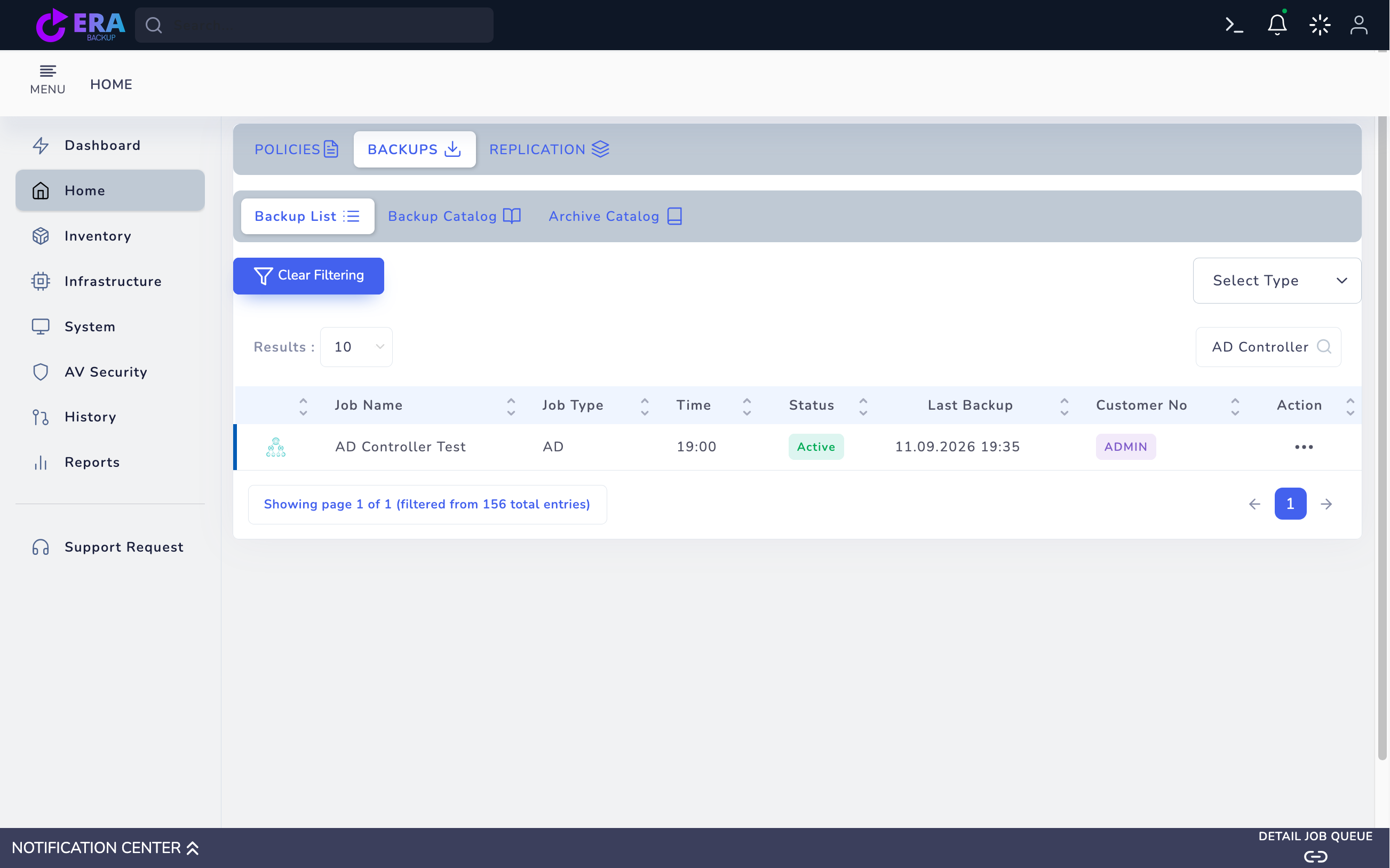
After verifying summary and source health, save only the approved test policy and start the appropriate Full action. Review task result, VSS writer errors, repository commit and catalog time together. A 100% display or missing completion notification alone does not establish the data outcome; do not arbitrarily rerun backup to repair a notification issue.
Existing AD Controller Test record and historical Last Backup time. No new backup was performed during this work; a catalog record is not full DC/forest recovery acceptance. Enlarge ↗
Expected result
Task, repository and catalog records agree.
07
7. Perform readback and object acceptance separately
Verify repository readback and catalog access for the authorized backup. Compare the test object’s selected attribute value in the recovery plan. Record release, backup ID, object identity and result. Successful capture/readback does not establish DSRM, authoritative restore or full forest recovery acceptance.
Expected result
Backup output and recovery capability are evidenced separately.
COMMON QUESTIONS
Does an AD backup establish full forest recovery?
No. Object recovery, System State, DSRM and forest recovery have different scopes. Full forest support must not be assumed without the relevant release and isolated recovery test.