Diagnosis, remediation and data-recovery acceptance are separate stages. This guide does not direct service restarts, queue/state deletion, snapshot cleanup, disabling certificate validation or production restore; validate actual causes against the installed release and the correct run evidence.
Screenshots were captured from the actual lab interface on 16 October 2026. The interface is in English; explanations follow your selected language. Resource names, dates and settings are examples; use values for your own environment.
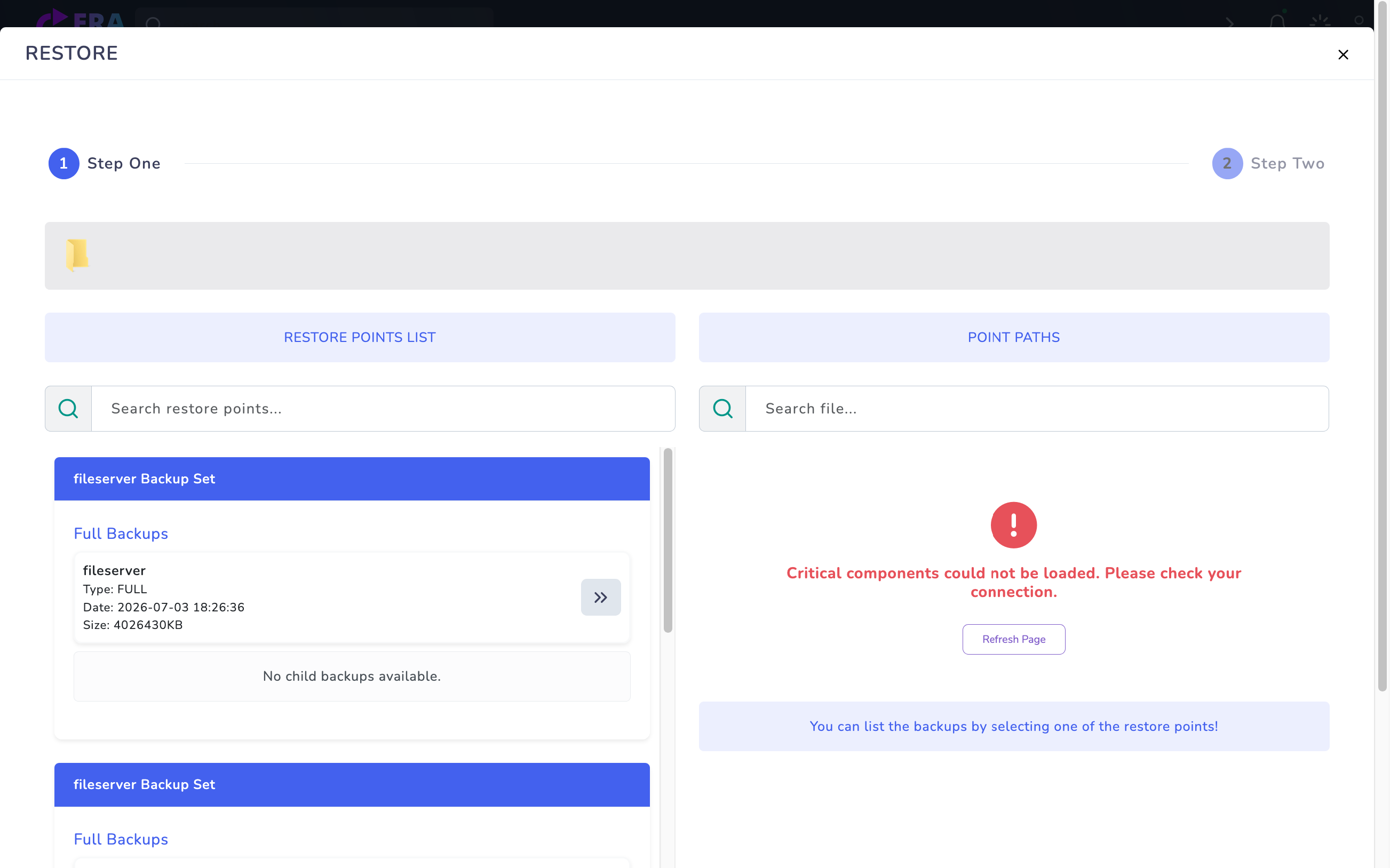
Visual/action limit: real error screens from the earlier authorized inspection are reused; no new fault was generated and no live logs were collected. Screens do not establish root cause or successful fixes. Commands are read-only examples for the operator to assess on the correct node/service; they were not executed in this inspection.
Platform/release and source/destination identity
Job/run/backup identity and time range
Relevant node, service and evidence source
Redacted support summary and isolated acceptance plan
01
1. Build the timeline and identities
Record first symptom, job/run/sub/backup identity, platform, source/destination and last-good time. Compare master, node and database time zones; distinguish UTC from local time. Do not merge different generations or tests of the same policy into one incident.
Earlier real error screen used as a starting point for time/run/log correlation; this is not terminal log output or fix evidence. Enlarge ↗
Expected result
Record the finding, time and relevant job identity.
02
2. Select the correct node and service logs
Repository documentation uses era-repository; the replication runbook lists journals for era-replication-controller, era-replica, era-replication-relay, era-replication-scheduler and EraBackupWeb. Validate unit names across packages. Engine logs for SQL/Oracle/DB2 are read separately on database servers; not every failure originates on the master.
Expected result
Record the finding, time and relevant job identity.
03
3. Collect read-only evidence in a narrow time window
Read journal output spanning before/after the failure for the relevant service. The example is a local read-only check; do not blindly execute it on a node without that service. Use a bounded window rather than exporting entire disks/log histories. Do not clear/rotate logs or restart services in this step.
Record the finding, time and relevant job identity.
04
4. Correlate notifications and Process Steps
Match notification job/run/backup identities with engine logs. The AD event API uses backup_id/job_id/job_type for idempotency and separates progress from terminal events. Add OpenStack/Safir quiesce, snapshot and resume/compensation phases to the timeline. Late notifications or 100 percent alone are not root-cause/success evidence.
Expected result
Record the finding, time and relevant job identity.
05
5. Inspect platform-specific files only as needed
The controller runbook documents /var/lib/erabackup/replication-controller/logs/JOB_ID.log; VMware documentation uses /var/log/erabackup/vmware-replication/policy-ID/. Use actual identities and do not edit state/config files as if they were logs. policy-ID.work/ may contain temporary manifests and root-only secrets; never blindly include it in support bundles.
Expected result
Record the finding, time and relevant job identity.
06
6. Separate findings, hypotheses and sensitive data
Record error messages as observations and possible causes as hypotheses. Before sharing, remove tokens, Authorization headers, passwords/app passwords, OTPs, private keys and connection-string secrets; map necessary identities consistently. The source copy contains OTP/SMTP debug output, so inspect authentication logs carefully; preserve original evidence in an authorized location.
Expected result
Record the finding, time and relevant job identity.
07
7. Prepare a support summary and repeat acceptance
Summarize release/topology, time range, job/run/backup identity, impact, first error, relevant redacted excerpts and checks. Separately document task/catalog/data acceptance after a fix. This guide does not assume automatic support bundles or a specific SIEM/export feature; this inspection collected/sent no logs, deleted no records and reran no jobs.
Expected result
Record the finding, time and relevant job identity.
COMMON QUESTIONS
Is an error message itself the root cause?
No. The same message may result from different access, source or data-path problems. Assess time, run identity, services and data state together.