This public guide covers process and acceptance checks. Endpoint lists, request/response schemas, access procedures, credentials, internal addresses and customer records are not published. Contact support for release-specific technical documentation and authorization.
Screenshots were captured from the actual lab interface on 16 October 2026. The interface is in English; explanations follow your selected language. Resource names, dates and settings are examples; use values for your own environment.
Visual note: no live API screen or request/response image is published to protect sensitive integration details. No API calls, access changes or automation runs were performed during this content work.
Business need, product release and responsible team
Support-approved integration scope
Test environment separated from production
Acceptance, error handling and rollback plan
01
1. Define the workflow and owners
Define triggers, prerequisites, expected results and owners for backup, reporting or another workflow. Separate built-in scheduling from external integration automation. Validate platform and release support with support before technical implementation.
Expected result
Automation scope and ownership are defined.
02
2. Plan scheduling and overlaps
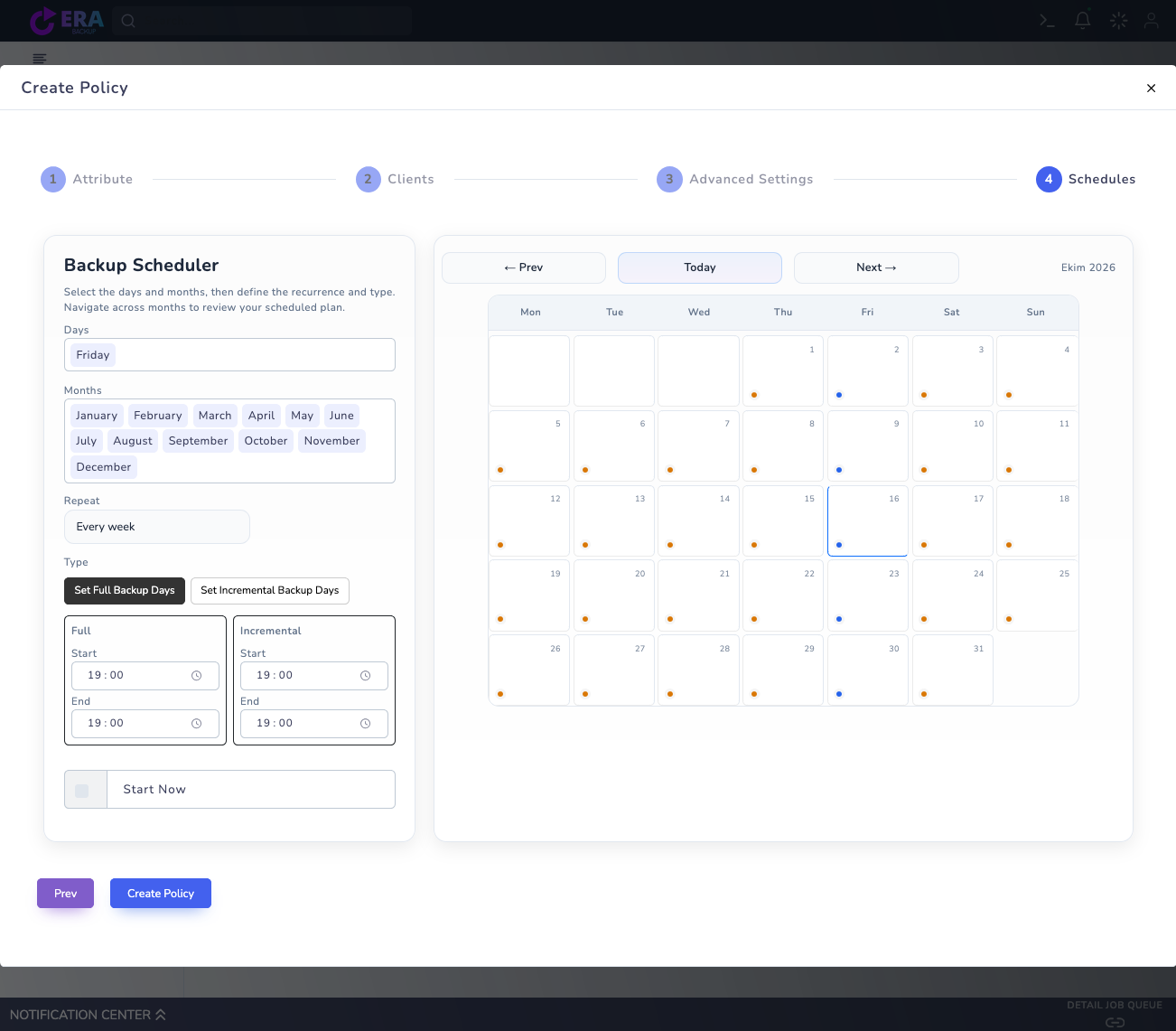
Assess days, months, repeat and Full/incremental windows in built-in Schedules against business needs. Check time zones, overlapping jobs, maintenance and repository capacity. Selecting a schedule does not guarantee on-time completion.
Earlier real Schedules draft: an example of built-in scheduling, not an API console or acceptance of external automation. Start Now and Create Policy were not submitted. Enlarge ↗
Expected result
The schedule is matched to resource conditions.
03
3. Prepare the technical integration plan with support
If external triggering is required, contact destek@menabyte.com.tr with your release and workflow purpose. This page publishes no endpoints, payloads, access flows or executable integration scripts. Plan test and production scope separately using authorized technical documentation.
Expected result
A release-specific technical plan is requested.
04
4. Define retries and error behavior
Do not restart work without tracking the existing operation. Validate waiting periods, retry counts, overlap prevention and uncertain-result investigation against the support contract. Do not assume every operation is retry-safe or shares one retry mechanism.
Expected result
Duplicate-operation and uncertain-result risks are managed.
05
5. Assign monitoring and notification ownership
Monitor queued, running, successful and failed states according to workflow needs. Define who responds, notification recipients and how silent failures are detected. Never place secret access material or customer data in notifications.
Expected result
A response and notification plan is prepared.
06
6. Perform end-to-end acceptance with a small test
Include normal flow, connection failure, delays and retries in an isolated test plan. For backup/restore automation, complete separate data and application acceptance. A successful trigger or notification is not proof of recoverability.
Expected result
Workflow and data acceptance are validated separately.
07
7. Document changes and rollback
Record the release, automation owner, dependencies, stop conditions and rollback requirements. Perform production changes under an authorized maintenance plan and retest after release or target changes. Validate the effect of stopping automation on existing jobs with support.
Expected result
An operational automation record is completed.
COMMON QUESTIONS
Can I obtain integration code directly from this guide?
To protect sensitive information, executable integration code is not provided on this public page. Contact support for documentation matching your release and scenario.