The inspected template offers Original Location and Different Location for PVC, but only Original Location for etcd, kubelet, etc/kubernetes and cluster. A menu option does not establish an applicable or validated restore. Do not test restores on a production control plane.
Screenshots were captured from the actual lab interface on 16 October 2026. The interface is in English; explanations follow your selected language. Resource names, dates and settings are examples; use values for your own environment.
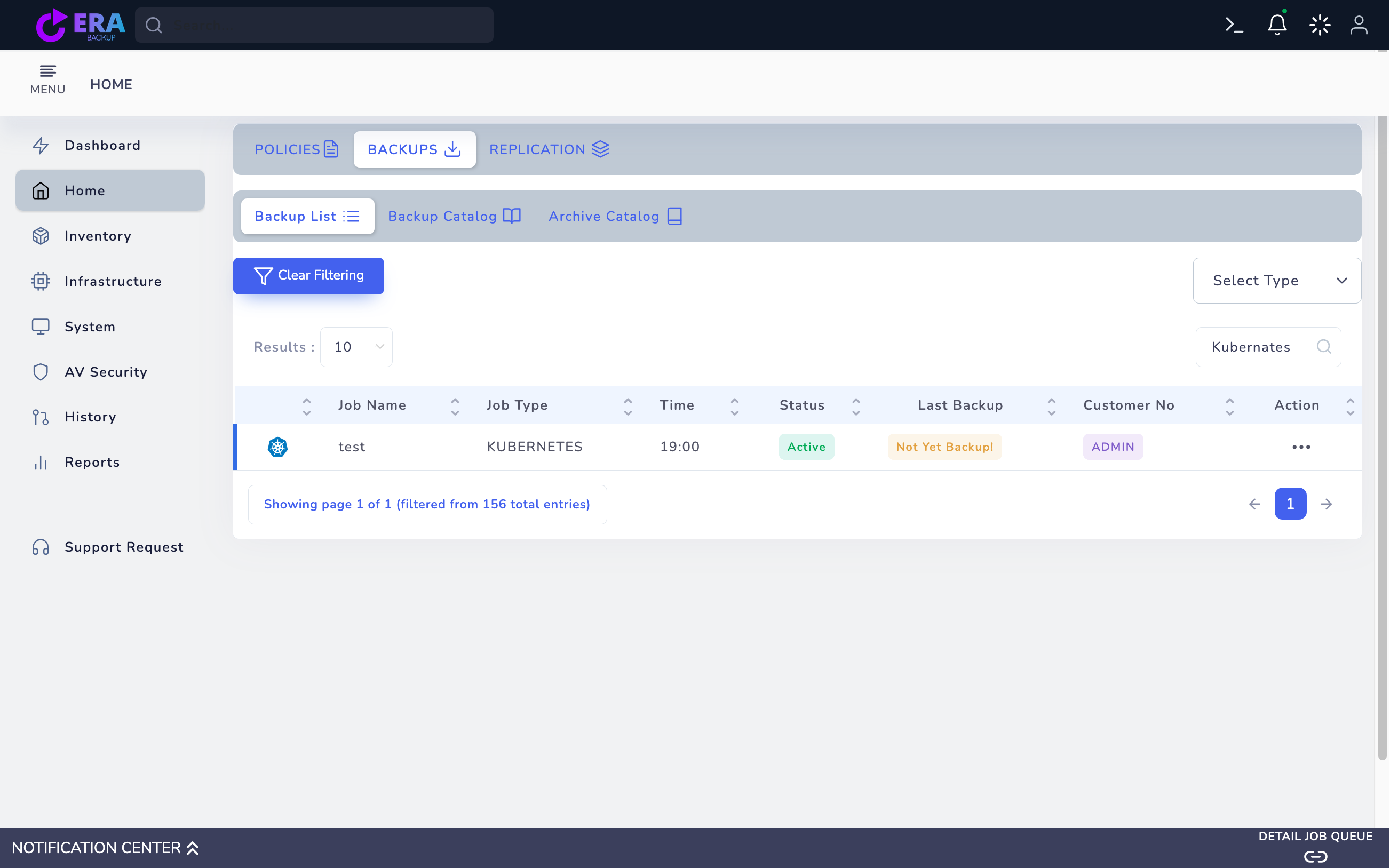
Lab note: the Kubernetes agent returned a read timeout. The existing test job shows Not Yet Backup; no usable point or restore target screen was captured. No policy was saved and no backup/restore was started.
Backup ID, method, source node/cluster and time
PVC/Pod/namespace and target storage mapping
Accessible repository and required backup chain
Isolated target, dependencies and application test data
01
1. Verify the catalog method
Find the Kubernetes job in Home → Backups; legacy records may spell the type Kubernates. Distinguish PVC, etcd and node configuration points. Compare source, method, item and Last Backup time with the requested objective.
The existing Kubernetes test job shows Not Yet Backup. No usable recovery point/target preview was obtained; no restore screen from another platform was substituted. Enlarge ↗
Expected result
The correct method and source record are identified.
02
2. Select a usable recovery point
Open Step One through Action → Restore. Select the relevant item and Full/dependent point; verify repository access. If no point is found, review the date range and job record; an inaccessible or missing object is not usable.
Expected result
The source item and required chain are accessible.
03
3. Assess a separate target for PVC
Choose Different Location for the PVC method if offered. Compare target agent/cluster, namespace, Pod/PVC and storage within the scope exposed by the form. Do not assume every field exists in every release; if target mapping is unavailable, agree an isolated restore plan with the technical team.
Expected result
A target separate from production is explicit.
04
4. Use a specialist plan for control-plane recovery
If an ETCD, KUBELET, ETCKUBERNETES or CLUSTER record offers only Original Location, do not proceed merely to test it. Plan release, quorum/topology, certificates and distribution-specific recovery separately. The PVC workflow does not authorize control-plane resets or overwriting etcd.
Expected result
Workload recovery and cluster DR remain separate.
05
5. Check Summary and target collisions
Check source point, method, target and namespace mapping. Stop for a PVC containing data, a resource-name collision or live application traffic. Use the final Restore action only for a validated, approved isolated workload target.
Expected result
The approved target and scope are recorded.
06
6. Monitor task and target resources
Compare EraBackup task results with target Pod/PVC and event status. Avoid repeatedly resubmitting jobs for Pending, mount or permission errors. Do not redirect application traffic before target resources are healthy.
Command example
kubectl -n <TARGET_NAMESPACE> get pods,pvc
kubectl -n <TARGET_NAMESPACE> get events --sort-by=.lastTimestamp
Expected result
Task results and Kubernetes resource state agree.
07
7. Document data and application acceptance
Validate a test file/hash or critical database query. Separately check manifests, Secret references and external service dependencies. Record backup ID, versions, target storage, duration and result; acceptance of one PVC is not full-cluster recovery.
Expected result
Usable data is validated at workload level.
COMMON QUESTIONS
Does PVC restore recover the entire cluster?
No. Control-plane, manifest, Secret and external dependency coverage require separate validation.