This guide covers method selection for PostgreSQL, MySQL/MariaDB and SQL Server. Oracle, IBM DB2 and MongoDB UI options do not establish validated support for every version and topology. Logical dumps, physical backups and transaction/WAL chains are separate methods.
Screenshots were captured from the actual lab interface on 16 October 2026. The interface is in English; explanations follow your selected language. Resource names, dates and settings are examples; use values for your own environment.
Lab scope: screenshots show forms and existing records. Agent discovery returned a read timeout, so a live database selection screenshot is omitted. No new database backup or end-to-end restore was performed. OpenShift live source selection must be verified after the cluster is rebuilt.
Engine version, operating system and standalone/cluster topology
Agent or OpenShift adapter version and repository access
Source database, required privileges and a secure credential reference
RPO, retention period and an isolated restore target
01
1. Identify the engine and recovery objective
Identify the database, recovery time and destination. A logical dump protects its dump point; continuous point-in-time recovery additionally requires a validated log/WAL/binlog chain. Treat clustered and replicated topologies separately from standalone policies.
Expected result
The engine, method and acceptance target are documented.
02
2. Define the source in Agent Policy
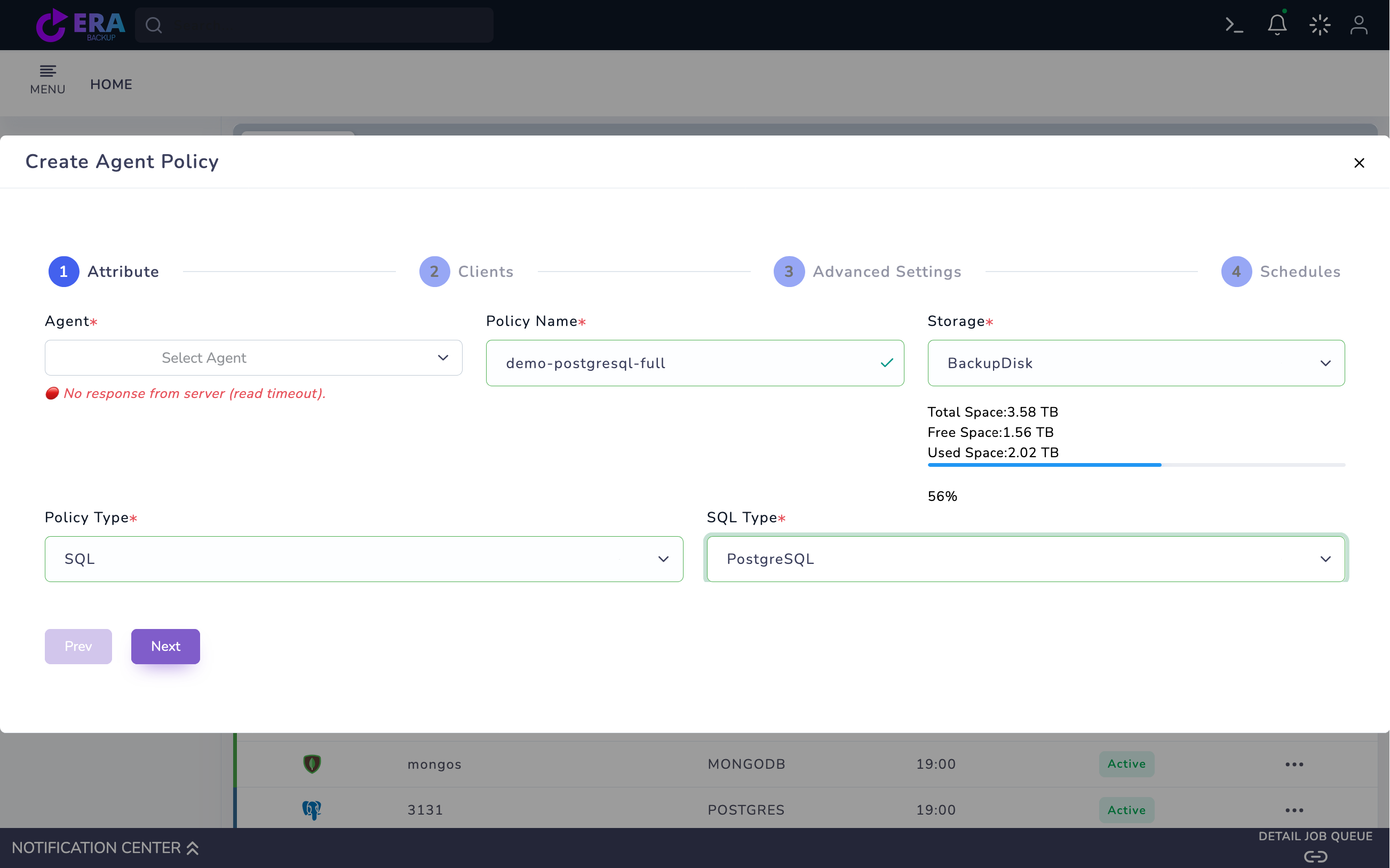
Open Home → Policies → Agent Policy → Create Agent Policy. Select the correct Agent, Policy Name and Storage. Choose SQL as Policy Type, then the SQL Type offered for the operating system. Resolve an offline source agent before continuing; a registered name is not evidence of connectivity.
Agent Policy → Attribute: SQL and PostgreSQL selected, with an example policy name and repository. The agent field shows Select Agent and a read timeout; this draft is not an example of a valid connection and was not saved. Enlarge ↗
Expected result
The database engine is mapped to the correct source agent.
03
3. Select the instance and one test database
Review the registered instance and database list in Clients. Select one small test database for initial acceptance. Manage account and port through the secure connection record; keep passwords out of policy names and command lines. SQL Server Always On requires version-specific tests of actual source replica, health and backup preference behavior.
Expected result
The selected instance and database scope are explicit.
04
4. Match the backup method to the data
PostgreSQL pg_dump, pg_dumpall and physical/pg_basebackup have different recovery scopes. Assess MySQL/MariaDB logical dump consistency against table engines; single-transaction is not a guarantee for every table type. Agree MSSQL Transaction Backup (Truncate Logs/Keep Logs) options with the DBA; validate the log chain and recovery model before changing them.
Expected result
The produced data and required recovery chain are understood.
For OpenShift PostgreSQL/MySQL use VM Policy → OpenShift. Select one database Pod in Clients; set Application-consistent database, Database engine, Namespace, Service / Host, Port, Database, Username, Credential Secret, Password Key and Adapter Image in Advanced Settings. Keep PITR off and select Full for the first PostgreSQL logical test. This path produces pg_dump or mysqldump data rather than a PVC block copy.
Command example
sudo systemctl status era-openshift-database-scheduler --no-pager
oc -n <NAMESPACE> get pods,svc,jobs
Expected result
The agent workflow and Kubernetes Job workflow remain distinct.
06
6. Plan retention and the first Full run
Set retention and schedule windows to meet the RPO. Preserve the Full point together with its dependent log/incremental data. Review the summary, then save and start the appropriate Full action only for the approved test source. Do not select Incremental for PostgreSQL logical backup with PITR off; each run creates a new dump.
Expected result
The planned test job and retained chain are defined.
07
7. Accept the catalog record through restore
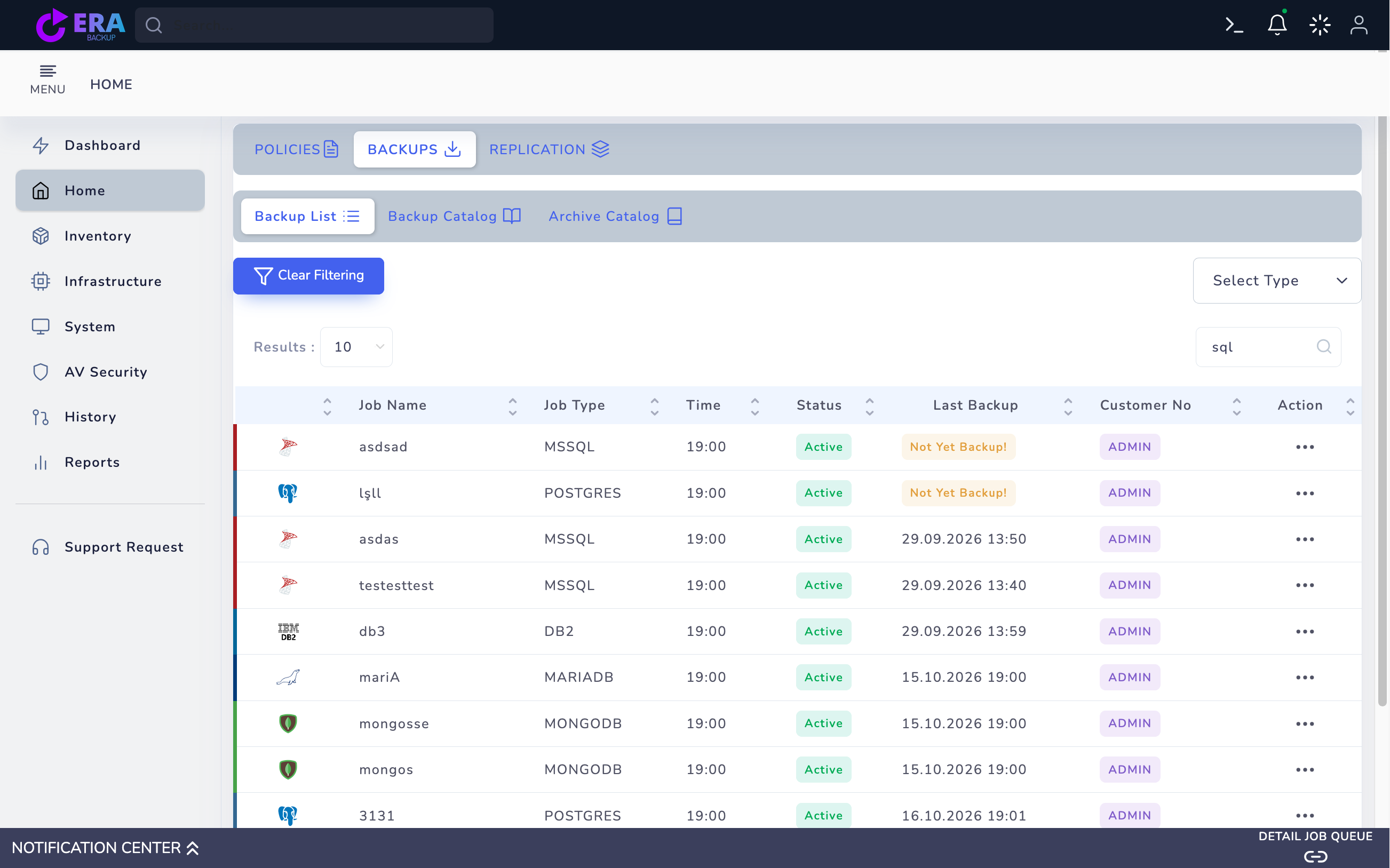
Compare task and notification results with the engine, instance, database, method and date in Backup List/catalog. For OpenShift also verify the Job result and repository dump object. Restore to a new isolated target and compare tables, rows and application queries. A Last Backup date or 100% notification alone does not establish data acceptance.
Database Backup List records. Engines and dates belong to existing lab records; no new backup was performed. Enlarge ↗
Expected result
The backup record and isolated data validation are documented together.
COMMON QUESTIONS
Are all databases protected with the same steps?
No. Selection and acceptance vary by engine, method, version, agent and cluster topology. Start with a small test database.