This workflow covers Different Location restore to a new VM and isolated acceptance. It does not establish overwrite of an existing VM, instant recovery, cross-region or cross-hypervisor recovery.
Screenshots were captured from the actual lab interface on 16 October 2026. The interface is in English; explanations follow your selected language. Resource names, dates and settings are examples; use values for your own environment.
Lab scope: screenshots show unsaved forms or existing test catalogs. No new policy was saved and no backup or restore was started. Each caption identifies the actual platform and validation limit.
Cloud/region, project and Keystone access scope
Master, node and repository release/data-path compatibility
Boot model, all disks and application consistency
Target project, quota, network, flavor and isolated acceptance plan
01
1. Find the OpenStack record and disk scope
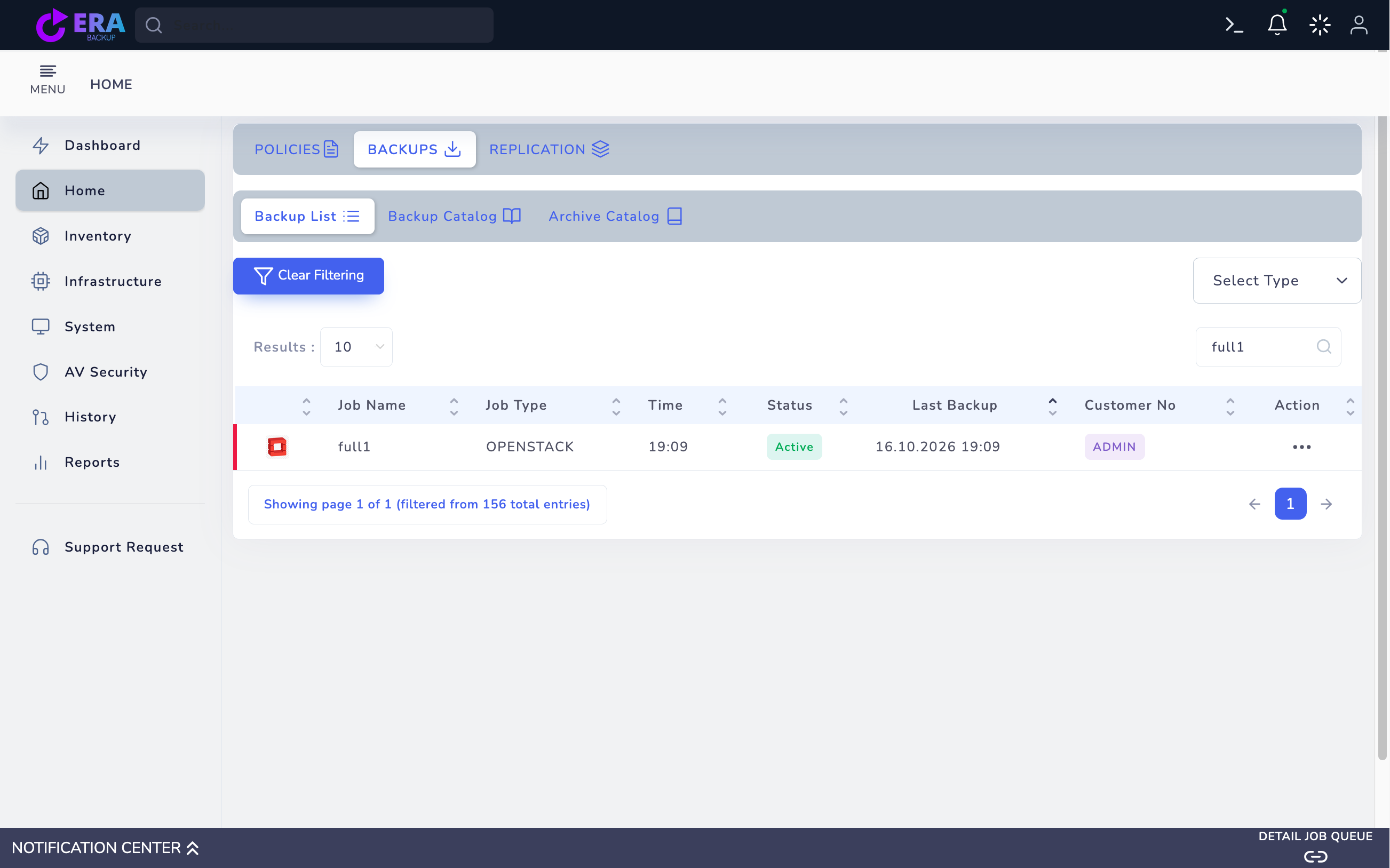
Find the correct OpenStack job in Home → Backups → Backup List. Compare project/source identity, VM name, volume/disk and Last Backup time. A job name or Active status does not establish a usable backup; do not accept a Not Yet Backup record for recovery.
Existing OPENSTACK full1 test record. This catalog example differs from the VM in the policy draft; Last Backup alone is not data acceptance. Enlarge ↗
Expected result
The correct cloud, VM and disk set are identified.
02
2. Select the chain in RESTORE Step One
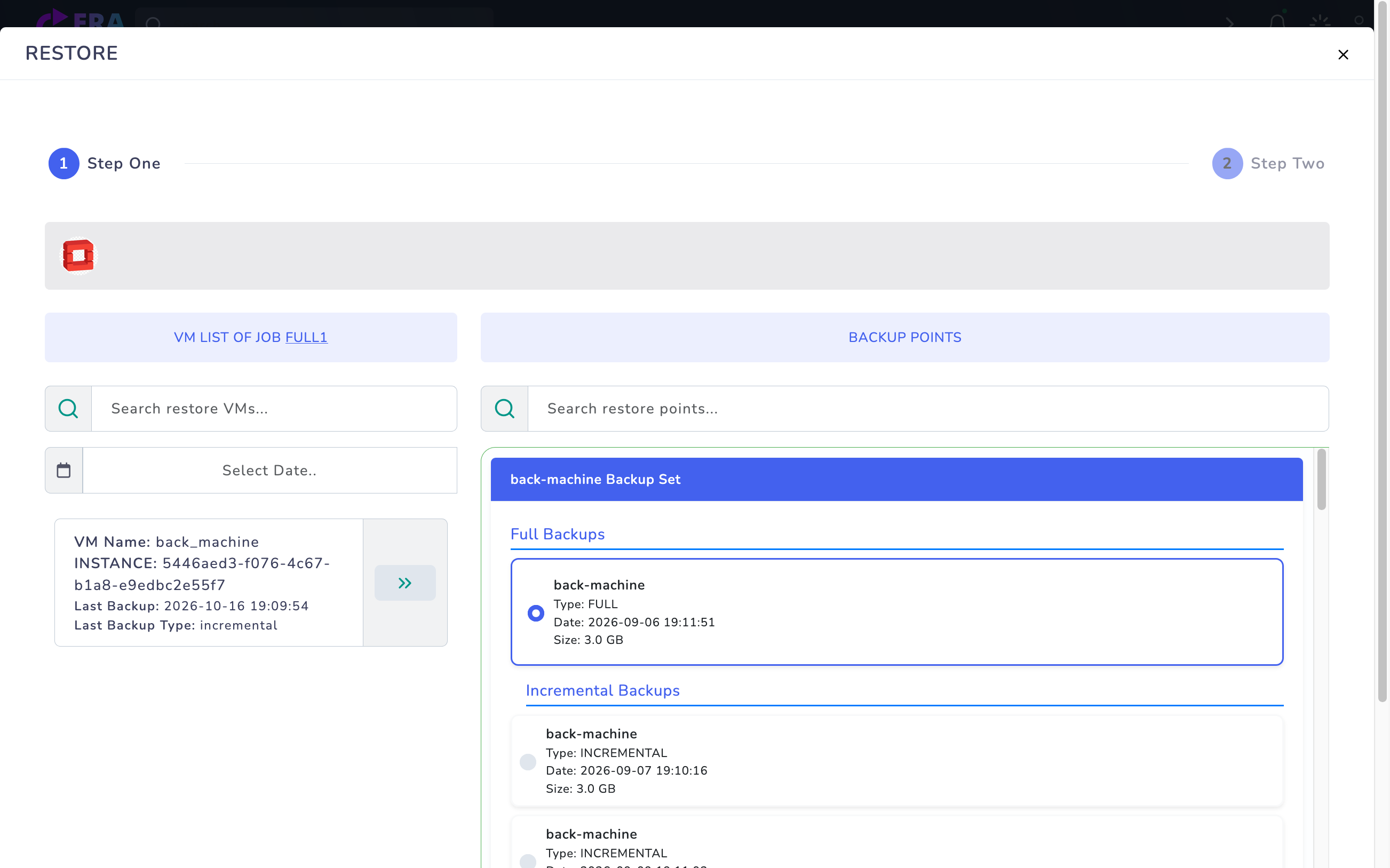
Open the VM/item through Action → Restore. Select the required point from Full Backups and, if present, Incremental Backups. Verify repository access to the required Full and dependent incremental components. Match each disk’s point with the application consistency scope.
OpenStack full1 → back_machine: Full and dependent Incremental points. A Full point was selected only to inspect the target form; no restore was performed. Enlarge ↗
Expected result
The recovery point and disk chain are complete.
03
3. Define a new VM target with Different Location
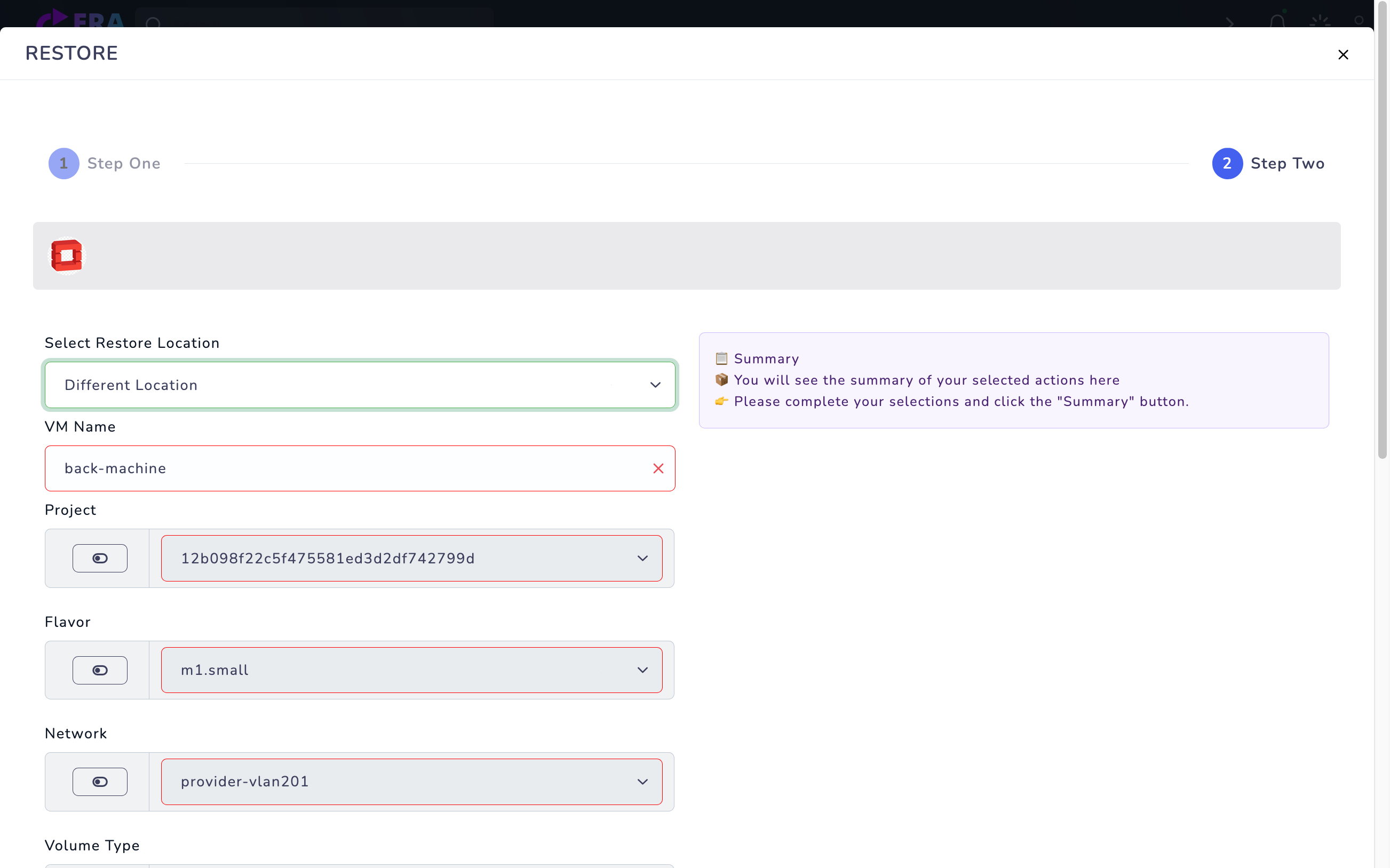
Choose Different Location in Step Two. Verify the target OpenStack connection, project/tenant and a unique new VM name. A new VM in the same cloud still needs production-network isolation. Keep Convert Hypervisor outside this basic workflow; conversion requires separate source/target, guest-driver and boot acceptance.
Expected result
A new target separate from production is explicit.
04
4. Review flavor, network and disk mappings
Compare target server/project, flavor, network, security group and key-pair fields exposed by the form with metadata and target quotas. Validate AZ/volume type/boot mappings for the release/backend. Do not assume source IP/MAC or security groups are automatically preserved on every target. If using Disk Mapping, verify the complete required disk set.
Different Location: VM Name, Project, Flavor, Network, Volume Type, Security Group, Key and Disk Mapping. Values come from the existing record; validate a new name and isolation before use. Summary and Restore were not submitted. Enlarge ↗
Expected result
Target resources and all required disk mappings are verified.
05
5. Check Summary and metadata warnings
In Summary compare source VM, time, disks, new VM name and target network/project mapping. Resolve missing manifest/metadata fields with explicitly verified mappings before continuing. This workflow targets a new VM; overwriting a running VM/disk requires separate acceptance. Use final Restore only for the approved isolated target.
Expected result
The source/target summary matches the test plan.
06
6. Monitor task and target VM/disk state
Compare EraBackup task results with cloud VM and volume state. Avoid repeatedly resubmitting a failed job to the same target; inspect task/backup ID and service errors. Keep the guest off production traffic until all disks are attached correctly and the target network is isolated.
Expected result
Task results agree with target resource state.
07
7. Document isolated boot and application acceptance
In the approved isolated environment check guest boot, filesystems, a test file/hash and required application/database queries. Record boot-from-volume and multi-disk coverage separately. Document backup ID, source/target project/region, releases and duration; removing the source VM or moving live traffic is a separate cutover.
Expected result
Actual data and application acceptance are recorded.
COMMON QUESTIONS
Are the source network and IP automatically preserved?
Not on every target. Validate project, network, security group, IP and metadata mappings against target quotas/access.