Bandwidth, simultaneous job count, transfer worker count and job priority are different controls. Do not promise fixed throughput or performance gains without measurement; check installed-release and method support.
Screenshots were captured from the actual lab interface on 16 October 2026. The interface is in English; explanations follow your selected language. Resource names, dates and settings are examples; use values for your own environment.
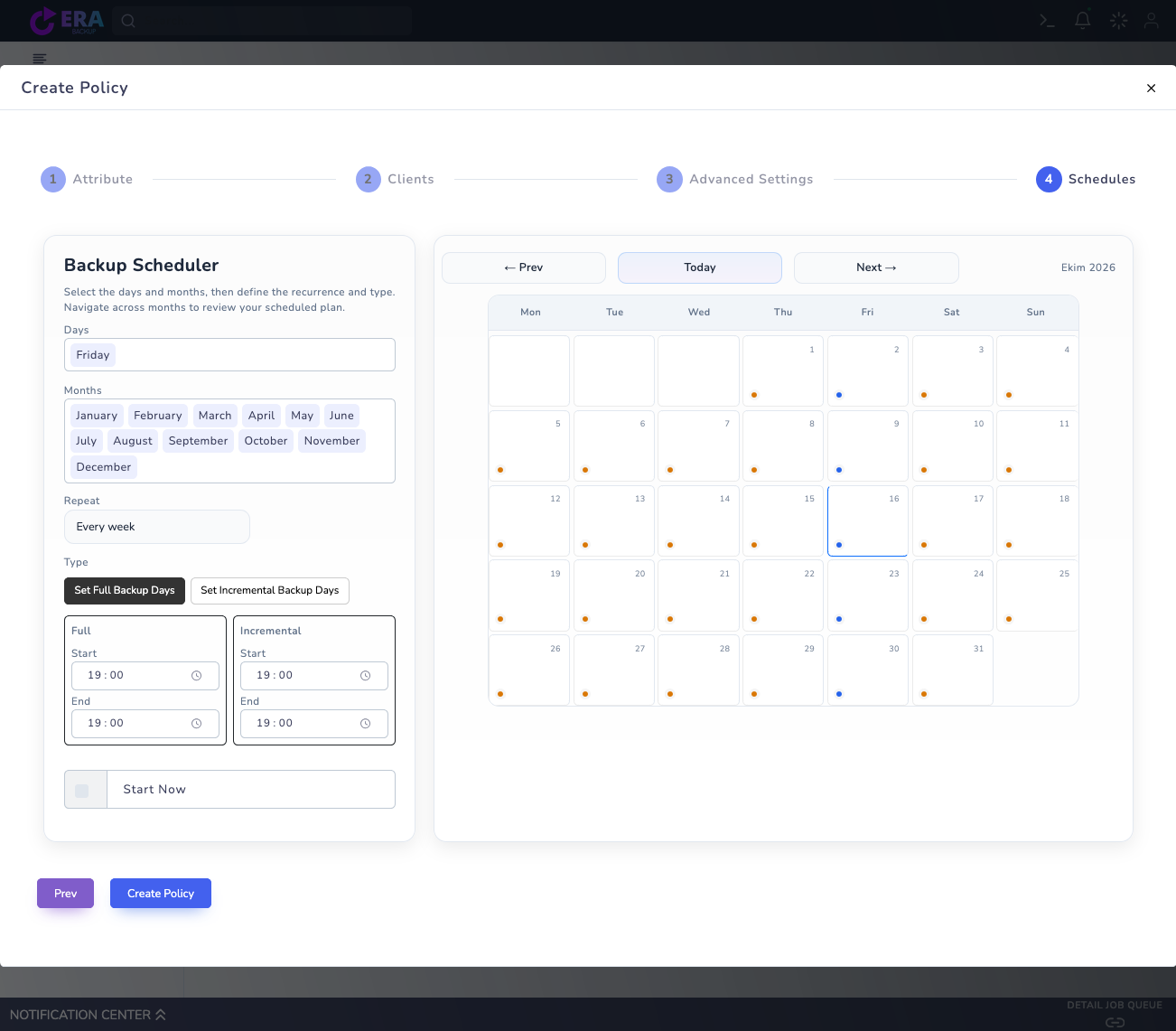
Visual note: an earlier real policy screen is reused. No new Transfer Limits screen or benchmark was captured. This work changed no policy, worker, network or service settings and started no backup/restore.
Installed release, data path and repository
Network capacity and application usage window
Baseline CPU, I/O, duration and transfer measurements
Rollback settings and restore acceptance plan
01
1. Identify the data path and requirements
Record connections between source, Data Mover, repository and any replication target. Separate link capacity from the share available to backups. Mbps measures bits/s and MB/s bytes/s; protocol overhead and shared traffic mean nominal link speed is not actual data throughput.
Expected result
Measurement units and the network path are identified.
02
2. Prepare baseline measurements
Record duration, transferred bytes, source/target CPU and disk I/O for representative Full and incremental jobs. Average transfer rates can hide short peaks. Compare application latency, connection errors/retries and network-team measurements over the same interval.
Expected result
A comparable baseline record is created.
03
3. Spread transfer windows
Plan Days, Months, Repeat and Full/Incremental windows in Schedules according to business needs. Avoid stacking backup, replication and maintenance at the same time. Scheduling is not an Mbps limit; monitor actual dispatch and finish times separately.
Earlier real Schedules draft showing time windows. This is not a bandwidth cap or benchmark; Start Now and Create Policy were not submitted. Enlarge ↗
Expected result
Transfer windows are distributed around workload needs.
04
4. Check the scope of Transfer Limits
The multi-repository guide states that Transfer Limits in Infrastructure uses backup_resource_limits. global/openstack controls total simultaneous jobs; compute/<hostname> and storage/<backend> apply narrower limits. These are not byte/s or Mbps rate limiters; do not assume identical scope across platforms.
Expected result
Job concurrency is distinguished from a bandwidth cap.
05
5. Evaluate worker counts carefully
According to the guide, datamover/workers is the parallel chunk-upload count inside a new transfer: range 1–32, default 4. OpenStack/Safir repository assignment and the OpenShift scheduler use it. Running transfers keep their original count; newly dispatched transfers use the new value. This count is not guaranteed Mbps.
Expected result
Worker effects are assessed within the scope of new jobs.
06
6. Validate hard bandwidth requirements with the network team
A general policy Mbps field was not verified in the inspected sources. If a hard link allocation is required, plan supported QoS with the network team for the relevant endpoints and traffic class. Keep TLS verification enabled; do not run experimental traffic-shaping commands in production.
Expected result
Hard bandwidth requirements are assigned to the responsible team.
07
7. Accept changes using measurements and rollback
In an approved small test, change one variable and compare network use, application latency, duration and retries. Return to the previous setting if acceptance limits are exceeded. Validate backup and isolated restore too; increased transfer speed alone is not success.
Expected result
Network impact and recovery acceptance are documented together.
COMMON QUESTIONS
Is Transfer Limits an Mbps cap?
In the inspected guide it manages simultaneous jobs and worker limits. It is not presented as a fixed byte/s or Mbps cap.