Job success, catalog visibility, byte/hash checks and application startup are different evidence. Limit conclusions to tested data, methods and releases; one check does not guarantee recoverability of every backup.
Screenshots were captured from the actual lab interface on 16 October 2026. The interface is in English; explanations follow your selected language. Resource names, dates and settings are examples; use values for your own environment.
Visual note: earlier real lab catalog and recovery-point screens are reused. These are not evidence of a new validation job or successful restore. No backup/restore, data modification, deletion or integrity scan was performed during this content work.
Platform, release, repository and recovery point
Full/incremental chain and data scope
Isolated target, capacity and application owner
Measurable acceptance criteria and evidence record
01
1. Define acceptance scope
Define the VM, file or database and recovery point to test. Agree file/hash, service startup, database query and permission checks with the data owner. Record target RPO/RTO separately from measured data age and recovery duration.
Expected result
Test scope and acceptance criteria are defined.
02
2. Review the job record and time
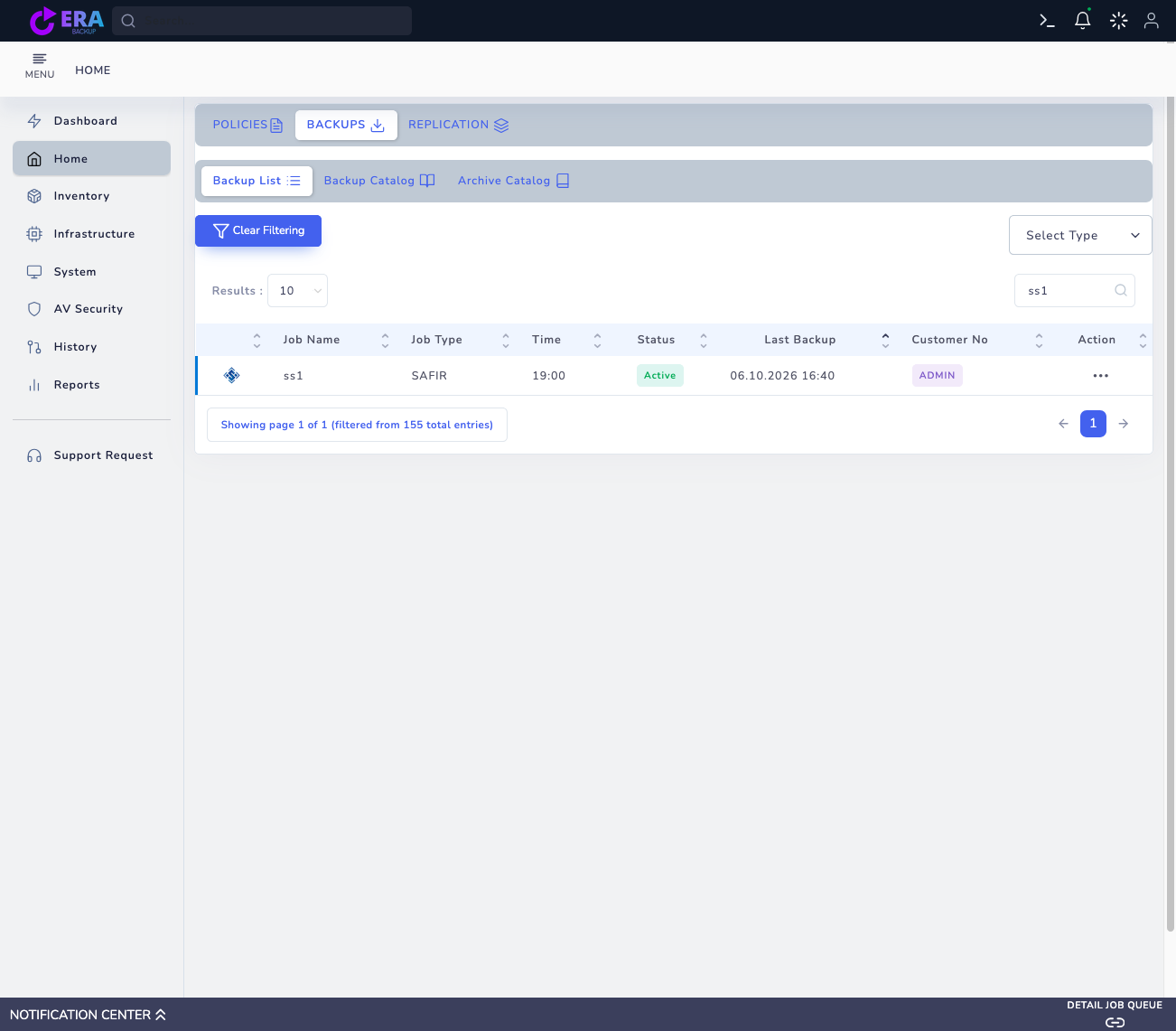
In Home → Backups → Backup List, match the platform, policy and Last Backup record. An Active policy or Last Backup timestamp is not data acceptance. Not Yet Backup may provide no usable point; correlate the job with its notification identifier and available log.
Earlier real Safir lab Backup List record. It shows platform, policy and Last Backup fields, not a new validation or successful restore. Enlarge ↗
Expected result
Job and recovery-point identities are correlated.
03
3. Check the Full and incremental chain
Identify the required Full and Incremental points in RESTORE selection. Validate source disk/file scope, repository access and parent relationships. A visible catalog point does not prove all data pieces are readable or the chain is complete.
Expected result
Chain and data scope for the selected point are recorded.
04
4. Prepare an isolated target
Check the new target name, disk capacity, network and application dependencies. Prevent IP/hostname collisions and connections to production services. Assess data impact before Original Location or overwrite; do not apply example screens directly to production.
Expected result
Target isolation and capacity are validated.
05
5. Perform controlled restore acceptance
During an authorized test window, restore the selected point to an isolated target. Alongside job status, validate data readability, permissions, application startup and required queries with the data owner. Do not infer application-consistent acceptance from a crash-consistent backup; document test scope.
Expected result
Job result and application acceptance are recorded separately.
06
6. Compare hashes and recovery measurements
Compare restored unchanged test files with a trusted baseline hash. Do not compare live changing database files using hashes from different times; use a consistent export or DBA validation. Record start/end and latest usable data time using the same time zone.
Expected result
Data and timing acceptance become measurable.
07
7. Record results and schedule retesting
Preserve release, platform, point, chain, target and PASS/FAIL/inconclusive results with evidence; remove secrets from reports. On failure, preserve the point and logs for investigation. Plan retests after release, repository or method changes and at organization-defined intervals.
Expected result
A validation report with explicit limits is produced.
COMMON QUESTIONS
Does a successful backup job guarantee recovery?
No. Chain coverage, data readability and application acceptance on an isolated target need separate checks. This guide does not claim an available automatic validation feature on every platform.