Bandwidth, simultaneous job count, transfer worker count and job priority are different controls. Do not promise fixed throughput or performance gains without measurement; check installed-release and method support.
Screenshots were captured from the actual lab interface on 16 October 2026. The interface is in English; explanations follow your selected language. Resource names, dates and settings are examples; use values for your own environment.
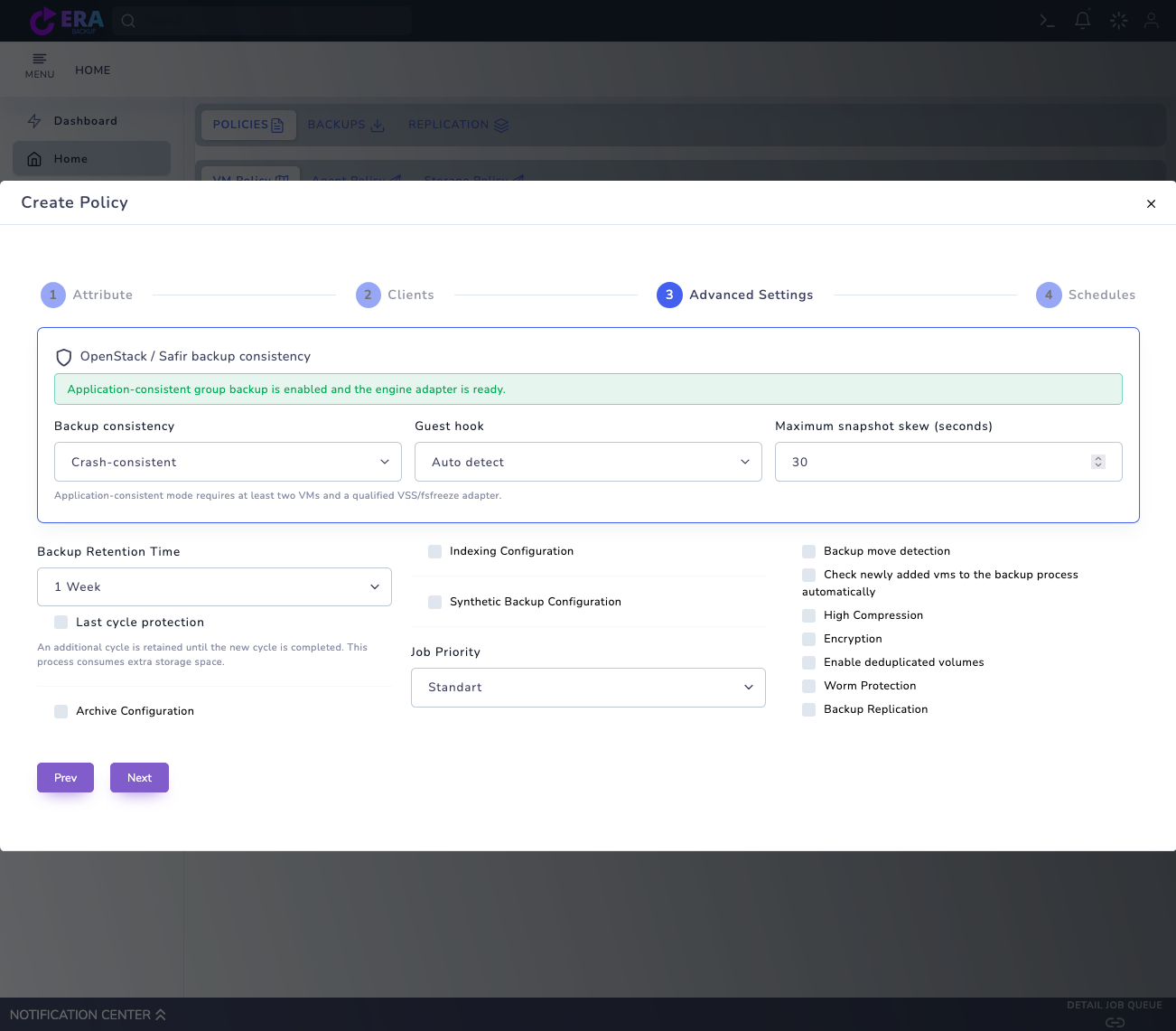
Visual note: an earlier real policy screen is reused. No new Transfer Limits screen or benchmark was captured. This work changed no policy, worker, network or service settings and started no backup/restore.
Installed release, data path and repository
Network capacity and application usage window
Baseline CPU, I/O, duration and transfer measurements
Rollback settings and restore acceptance plan
01
1. Record objectives and baseline conditions
Define measurable goals for backup windows, application impact and restore duration. Use the same data set, Full/incremental method, consistency profile, platform and release. Do not infer performance gains by comparing different data scopes.
Expected result
Comparison conditions are held consistent.
02
2. Locate bottlenecks by layer
Separate source read/snapshot time, Data Mover CPU/memory, network, repository write latency and queue wait. Low transfer speed is not always a network issue. Record measurement intervals, units and job identifiers together.
Expected result
The layer consuming time is identified.
03
3. Validate Advanced Settings effects
The real VM Advanced Settings screen includes Job Priority and High Compression. A Priority label does not guarantee bandwidth or completion time. Measure compression alongside CPU cost; verify encryption and dedup support separately for the engine/release.
Earlier real Advanced Settings draft with Job Priority and High Compression. Unsaved options are not evidence of measured performance gains or engine support. Enlarge ↗
Expected result
Policy selections are separated from measured effects.
04
4. Separate job and worker parallelism
Transfer Limits manages total jobs and compute/storage scope, while datamover/workers manages chunk parallelism in new transfers. The documented 1–32 range and default 4 are not a universal optimum. Many jobs multiplied by many workers can saturate repository I/O or connections; evaluate one control in small steps.
Expected result
Parallelism changes are matched to resource capacity.
05
5. Check repository and method conditions
Monitor free-space reserve, mount state, disk latency and backend capacity. Evaluate snapshot/CBT or database-dump methods against supported scope. Do not disable TLS checks, consistency or protection requirements for performance; do not change a running data path without authorization.
Expected result
Storage and method conditions are recorded.
06
6. Compare one variable at a time
In an approved test, change one setting using the same data; compare backup duration, source/transferred bytes, CPU, I/O, retries and application latency. Report variability across multiple samples. Do not promise fixed speed, savings or identical gains across platforms from one lab result.
Expected result
Gains and resource costs are measured together.
07
7. Complete restore and operational acceptance
Validate the chain produced under the new setting through isolated restore and data/application checks. Record the previous setting, tested release and rollback conditions. A new worker value does not change running transfers; correlate results with newly dispatched jobs.
Expected result
Optimization is completed with recovery acceptance.
COMMON QUESTIONS
Are more workers always faster?
No. They can worsen bottlenecks depending on CPU, network and repository limits. Measure with the same data and method and complete restore acceptance.