Standalone KVM is not the same acceptance scope as KVM within OpenStack/Safir. VM Policy includes KVM, but a dedicated standalone KVM restore route was not verified in the inspected generic Backup List template. This page prepares scope assessment.
Screenshots were captured from the actual lab interface on 16 October 2026. The interface is in English; explanations follow your selected language. Resource names, dates and settings are examples; use values for your own environment.
Lab inspection: the KVM Server list was empty; searching kvm in Backup List returned No matching records found. Clients, a usable point and a target form could not be verified. No policy was saved and no backup/restore was run.
Hypervisor/management release and source host/cluster
Source access, VM identity and all disks
Repository, quota and data-path components
Boot/network prerequisites and controlled acceptance plan
01
1. Define KVM topology and test source
Record standalone KVM host/management release, libvirt/QEMU and storage layout. For KVM within OpenStack use the OpenStack guide; do not assume the same data path on a standalone host.
Expected result
Platform and test VM scope are recorded.
02
2. Verify source access and repository
Check the approved connection record, account privileges, network and required component releases. Prepare repository capacity and data-path access. Keep password/token secret values out of policy names and screenshots.
Expected result
Source and repository prerequisites are ready.
03
3. Prepare the KVM draft in Attribute
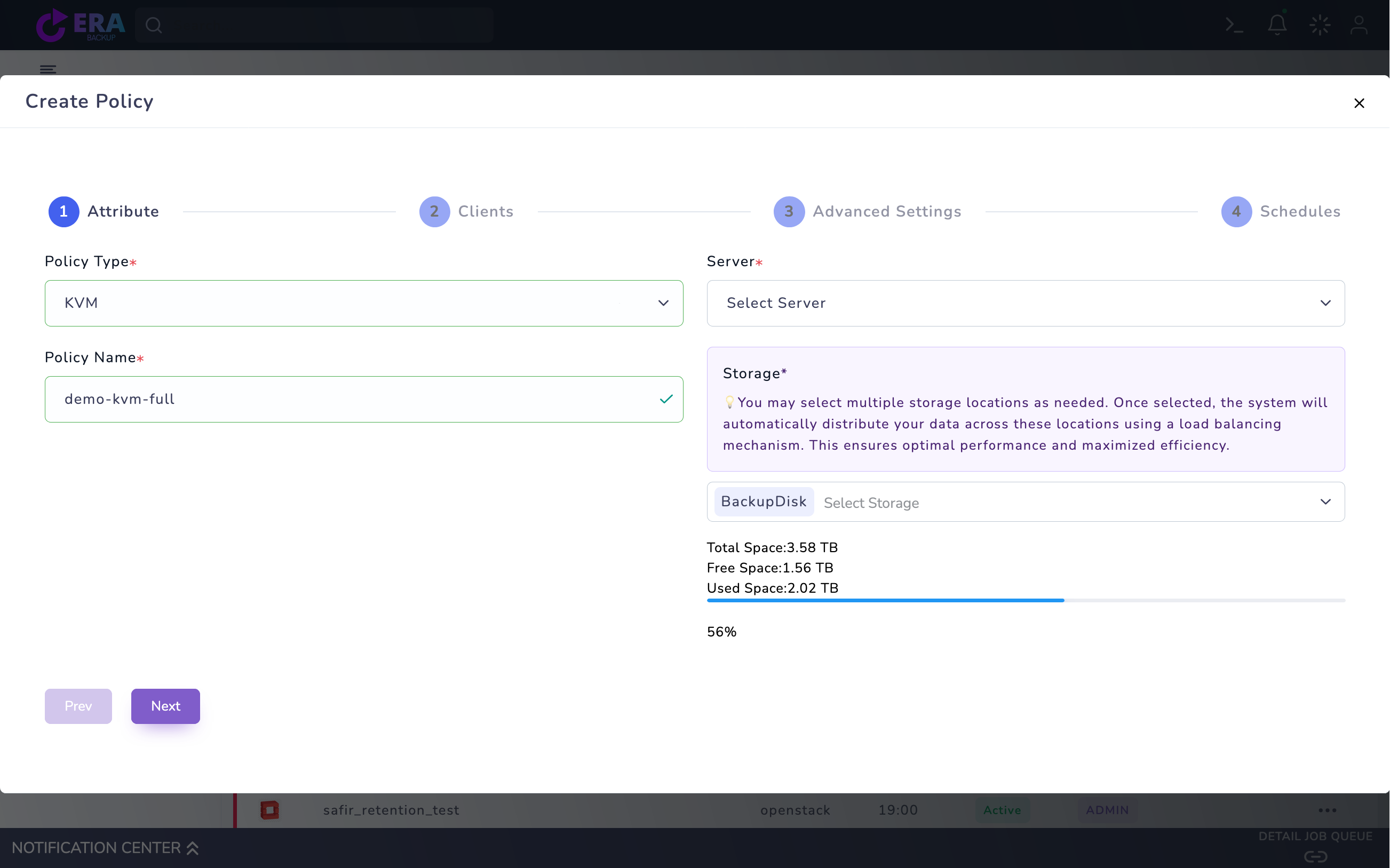
Open Home → Policies → VM Policy → Create Policy. Select KVM as Policy Type, the correct Server, a unique Policy Name and Storage. If Server is empty, do not substitute another platform’s host; complete source registration and compatibility preparation.
KVM Attribute draft: empty Server, demo policy name and BackupDisk. No registered KVM source was available, so Clients was not verified; the draft was not saved. Enlarge ↗
Expected result
An unsaved draft is prepared for the correct platform.
04
4. Map one VM and all disks
If Clients inventory loads, select the test VM by identity and check the machine count in Summary. Record boot/data disks, firmware, attachment and passthrough/excluded-disk conditions. An empty list, error or single-disk result does not establish whole-VM protection.
Expected result
The VM and required disk set are identified.
05
5. Assess consistency, method and retention
Compare Advanced Settings with the backend/guest and release. A crash-consistent copy is not application-consistent database acceptance. Do not infer support from visible snapshot/incremental options; method, dependent chain and retention require technical acceptance.
Expected result
Method and consistency scope are explicit.
06
6. Plan an approved Full test and catalog review
Set an approved test window and capacity-appropriate retention in Schedules. Do not use Create Policy or Start Now before validating source/VM selection. In an approved test for the matching release/method, compare task, repository output and catalog time.
Expected result
Actual output matches the catalog record.
07
7. Complete restore acceptance separately
Do not claim usable standalone KVM recovery support before its restore data path/target workflow is established.
Expected result
Backup ID, release, disk scope, test file/hash and guest acceptance are documented.
COMMON QUESTIONS
Does this screen establish end-to-end restore support?
No. Source/backend, target behavior and isolated data acceptance require separate validation in the installed release.