This guide covers OpenStack VM/disk backup. Validate boot model, backend, node/guest profile and metadata release together. A VM backup does not establish recovery of the entire cloud control plane or region.
Screenshots were captured from the actual lab interface on 16 October 2026. The interface is in English; explanations follow your selected language. Resource names, dates and settings are examples; use values for your own environment.
Lab scope: screenshots show unsaved forms or existing test catalogs. No new policy was saved and no backup or restore was started. Each caption identifies the actual platform and validation limit.
Cloud/region, project and Keystone access scope
Master, node and repository release/data-path compatibility
Boot model, all disks and application consistency
Target project, quota, network, flavor and isolated acceptance plan
01
1. Verify OpenStack connection and project scope
For OpenStack verify Keystone endpoint, domain/project and region; for Safir verify the organization’s Safir connection, tenant/project and region mapping. Distinguish identically named VMs by identity and project. Keep token/password values out of guides and command output.
Expected result
The source cloud and access scope are explicit.
02
2. Select OpenStack in Attribute
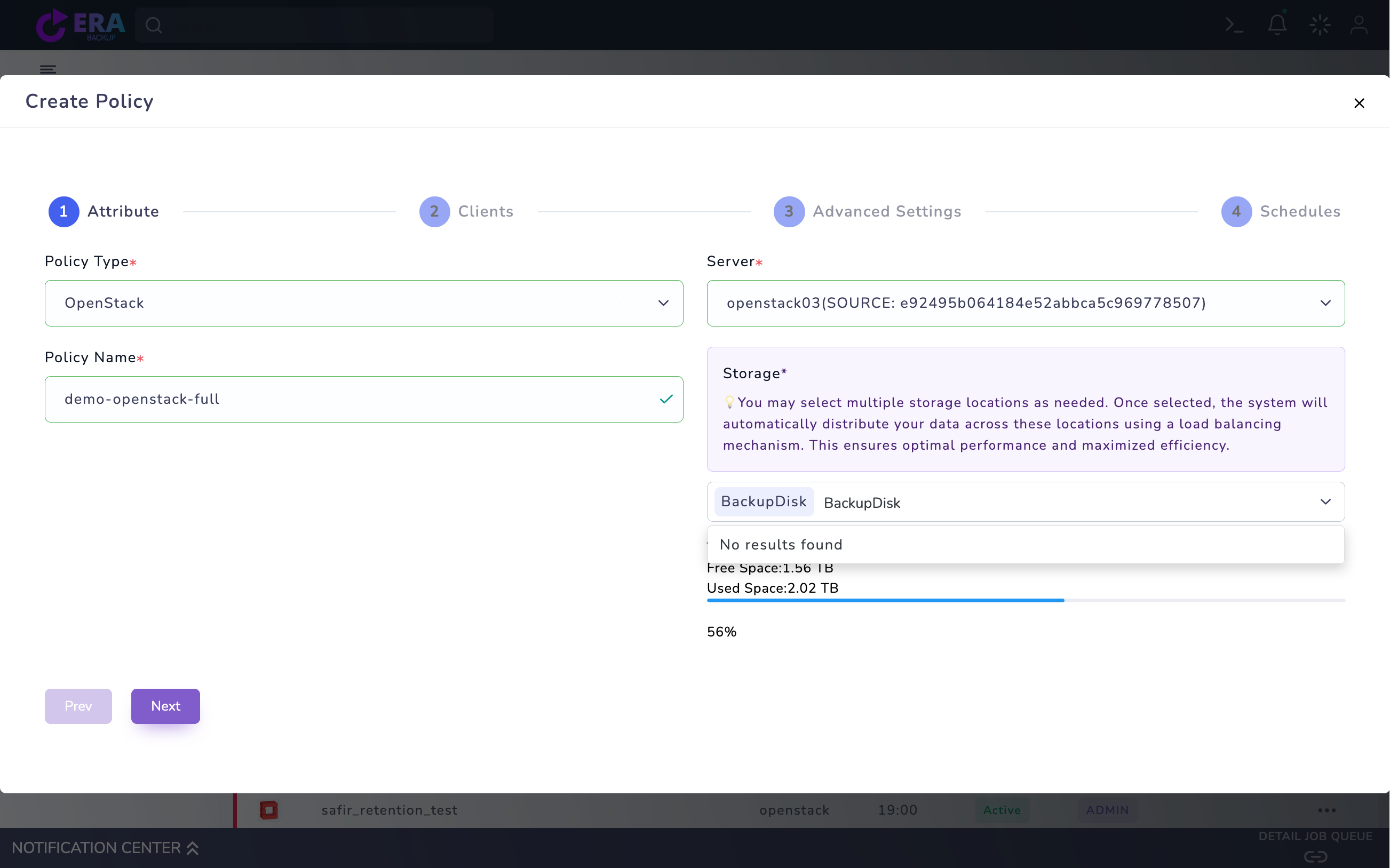
Open Home → Policies → VM Policy → Create Policy. Set Policy Type to OpenStack and compare the Server connection with its project/source identity. Choose a unique Policy Name and suitable Storage/repository. Opening a draft or seeing a connection name does not validate data access.
OpenStack Attribute draft: OpenStack, openstack03, example policy name and BackupDisk. The connection/project identity is a lab example; no policy was saved. Enlarge ↗
Expected result
The policy maps to the correct platform and repository.
03
3. Identify one VM and all its disks in Clients
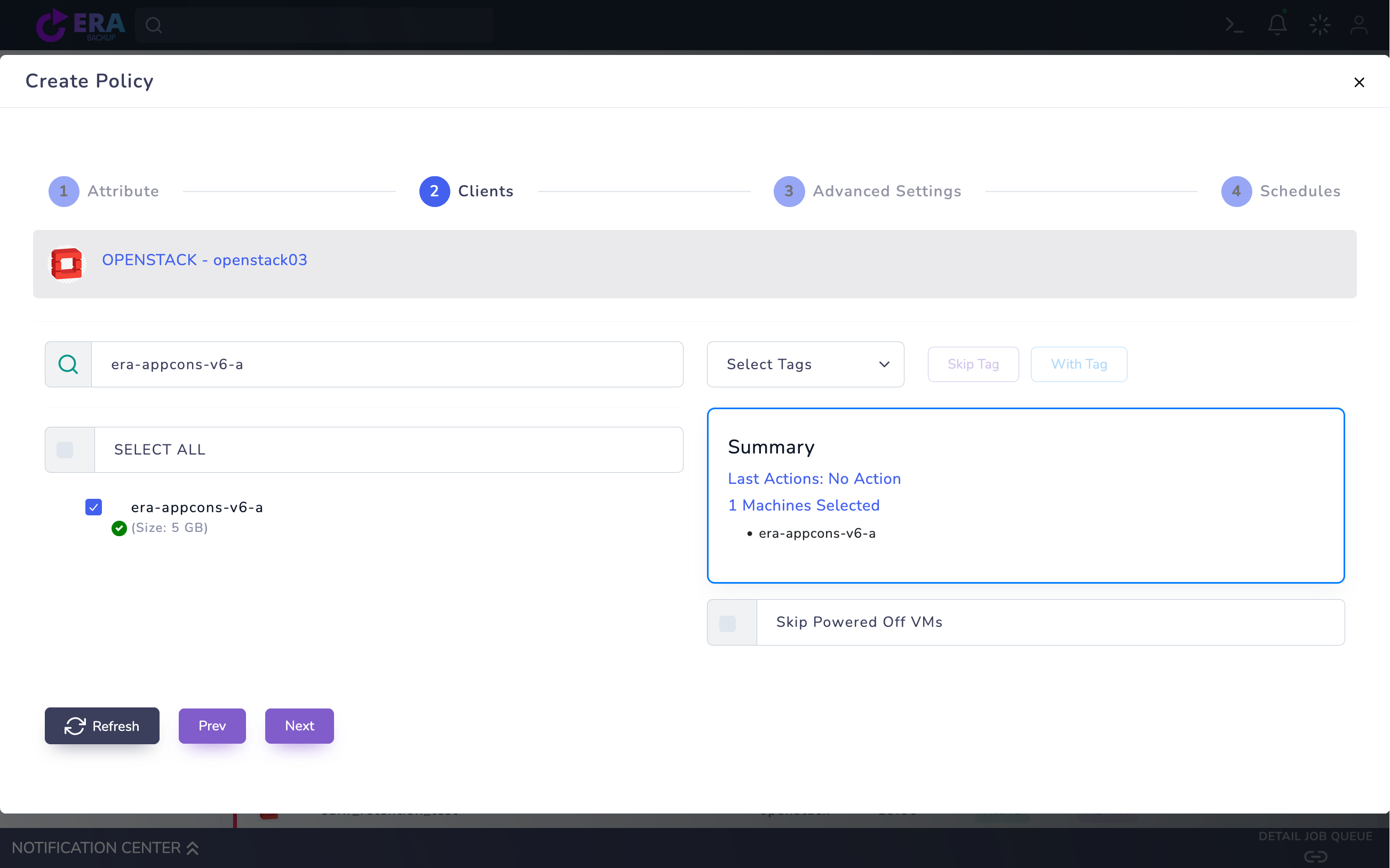
Select a small VM for the first test and check the machine count in Summary. Distinguish boot-from-volume, image/ephemeral root and attached Cinder data volumes. Verify coverage of all required disks in a multi-disk VM; one disk result is not whole-VM acceptance. Do not save a job with inventory errors.
OPENSTACK Clients: the era-appcons-v6-a test VM is selected. This shows VM selection only, not an application-consistent group test or acceptance of every disk. Enlarge ↗
Expected result
VM identity, boot model and disk set are recorded.
04
4. Match the consistency profile to its prerequisites
Distinguish crash-consistent and application-consistent scope in Advanced Settings. Application-consistent groups require matching master/node packages, QGA channel, guest agent and compute-hook prechecks; Linux fsfreeze and Windows VSS profiles need separate validation. A visible option is insufficient. A freeze failure must not be treated as success or leave a guest frozen.
Expected result
Guest and node prerequisites match the selected profile.
05
5. Plan retention and Full/incremental scheduling
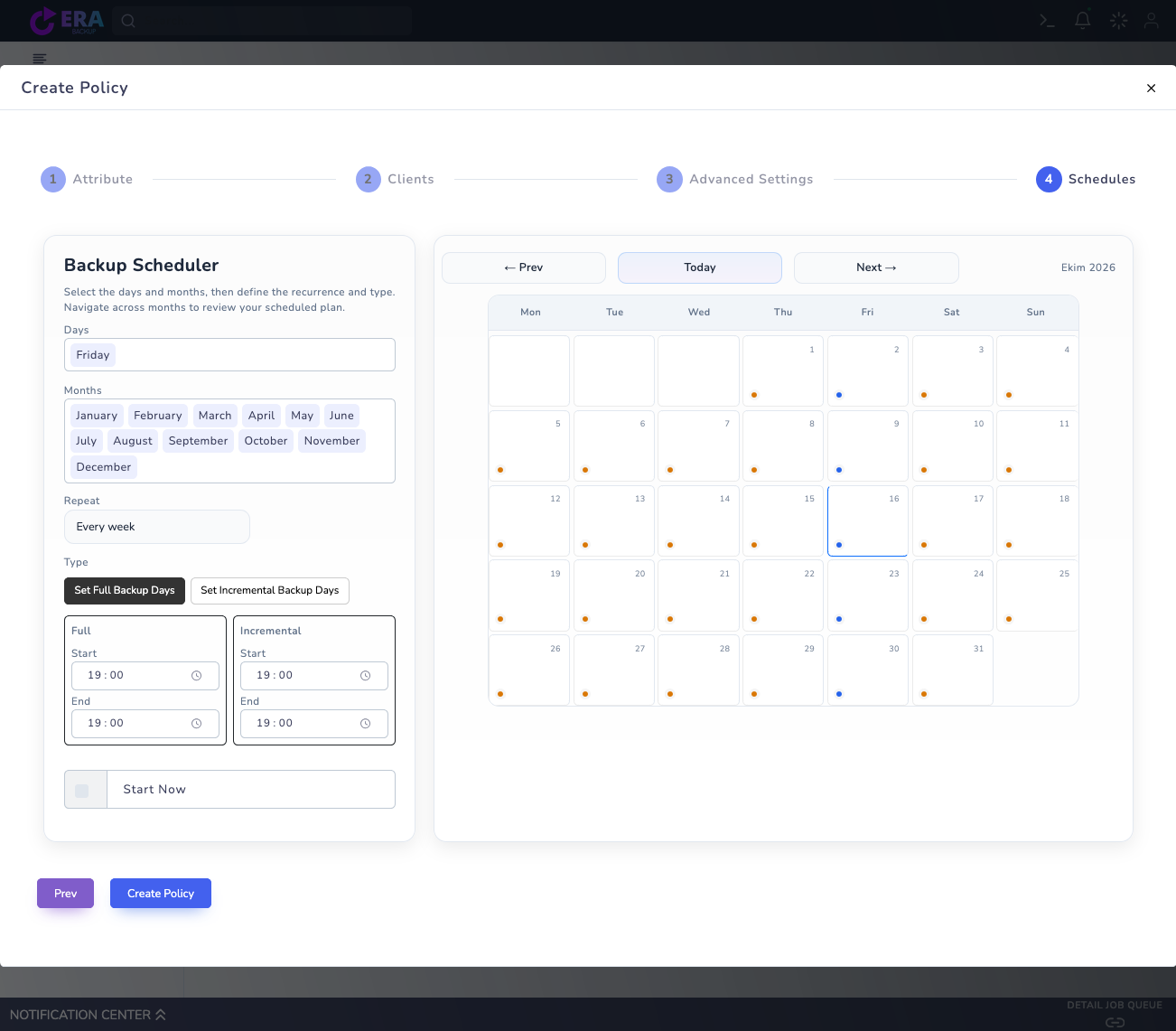
Set day/time and Full/Incremental windows in Schedules. Retain the initial Full point and its dependent incremental chain together. Select Start Now only in an approved test window. Check snapshot space, repository capacity, quotas and transfer access before saving only the approved test scope.
Shared VM Policy Schedules screen: Full/Incremental windows. This is an unsaved lab draft captured earlier the same day; no new run was started for this OpenStack policy. Enlarge ↗
Expected result
The chain and retention plan fit source capacity.
06
6. Compare task, disk and metadata results
Compare the approved test task/notification with repository commit and disk catalog records. Inspect VM/project/volume binding, checksum and collection.complete warnings in the release’s metadata manifest. In some default paths incomplete metadata collection may not stop backup; completion does not guarantee complete target mapping.
Expected result
Disk output and metadata state are documented together.
07
7. Complete data acceptance with a new target VM
Use the matching restore guide to plan a new isolated target VM. Validate all disks, guest boot, a test file/hash and application query. Record backup ID, project/region, release, disk scope and duration. A single lab result does not apply to all backends/regions or application profiles.
Expected result
Recoverable VM and data scope are evidenced.
COMMON QUESTIONS
Can I enable application-consistent mode immediately?
No. First validate matching packages, guest agent/channel, compute hook and thaw behavior after failures.