Separate the management layer. Protect downstream data separately.
Separate Rancher local management, RKE2/K3s and downstream application scope; distinguish the EraBackup agent method from Rancher’s own backup operator.
This guide prepares topology and acceptance; it does not claim validated Rancher certification or native operator integration. Rancher backup operator protects the Rancher application in the local cluster; plan downstream PVC/database data separately. EraBackup’s RKE2 option does not imply complete management-layer backup.
Screenshots were captured from the actual lab interface on 16 October 2026. The interface is in English; explanations follow your selected language. Resource names, dates and settings are examples; use values for your own environment.
Screenshot scope: no Rancher console or validated Rancher cluster session was supplied. EraBackup Kubernetes/RKE2 screenshots show a shared method UI, not evidence of live Rancher integration.
Rancher, local cluster and downstream releases
RKE2/K3s, node roles and storage topology
Separate management and workload access/identities
Separate acceptance for operator output and application data
01
1. Inventory the two protection layers
Record the Rancher server local cluster and each downstream cluster separately. Identify where each namespace and application dataset resides. Backing up the management application does not back up downstream application data.
Expected result
Management and workload inventories are distinct.
02
2. Plan management backup separately
Plan Rancher’s own backup operator process using the official guide for the installed Rancher version. Record local cluster, scope, storage and any required encryption material separately. Do not assume EraBackup installs or manages the operator automatically.
Expected result
A separate owner and output are defined for the Rancher application.
03
3. Select the downstream workload
For EraBackup assessment identify the correct downstream cluster/node, namespace and PVC/database source. Avoid using the management context as the workload target. Compare distribution and CSI prerequisites with the Kubernetes guide; K3s and RKE2 are not interchangeable acceptance targets.
Expected result
The correct downstream source is selected.
04
4. Assess the RKE2 method only for an appropriate source
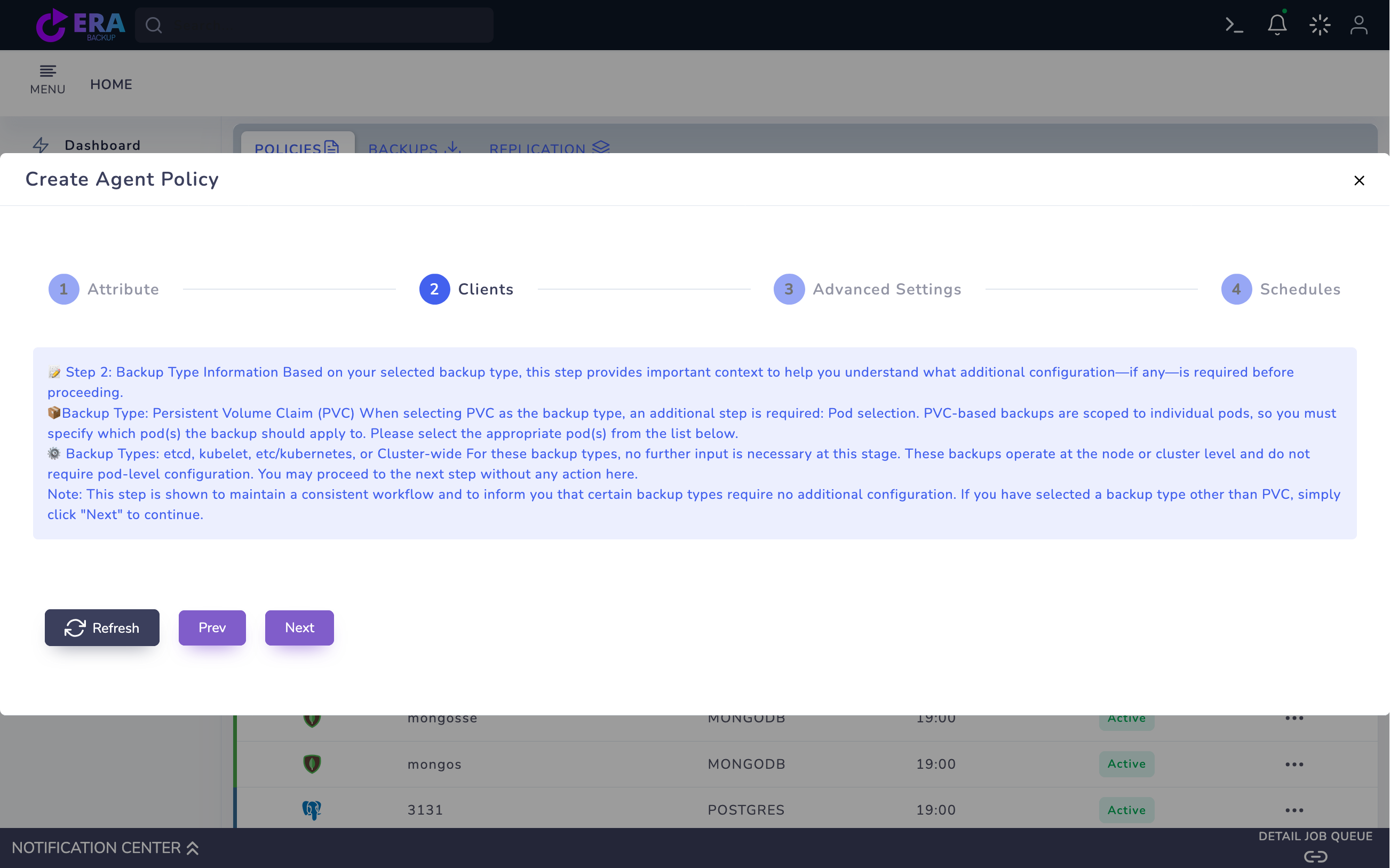
In Agent Policy → Kubernetes Backup, selecting ETCD may expose KUBECTL/RKE2 in Clients. Choose RKE2 only after validating the actual RKE2 data path and node role. This option does not establish automatic coverage of the Rancher management application or downstream PVCs.
Shared EraBackup Kubernetes method information. This is not the Rancher console; RKE2 selection, operator management and live Rancher connectivity were not validated. Enlarge ↗
Expected result
The distribution method matches the protection layer.
05
5. Review retention and repository independence
Create separate retention/target plans for management output, etcd/node scope and downstream application data. A single storage copy dependent on the potentially lost cluster is insufficient acceptance. Verify access, encryption material and repository readback through the approved procedure.
Expected result
Each layer has an explicit output and access plan.
06
6. Run an approved test for each layer
Save and run only the approved test policy for a suitable validated source. Keep Rancher operator results, EraBackup catalog results and downstream data output separate rather than treating one success notification as all three. Evaluate each with its own backup identity, time and source.
Expected result
Each protection layer has independent evidence.
07
7. Accept the recovery sequence
Plan the recovery sequence for management access, downstream cluster health and application data. Validate management login and workload data in separate tests. An RKE2/etcd menu selection is not end-to-end Rancher DR acceptance.
Expected result
Topology-specific acceptance planning is complete.
COMMON QUESTIONS
Is the RKE2 option a Rancher Backup Operator integration?
No. It is an agent-based etcd method UI option; operator management and Rancher application backup require separate assessment.