Logical dump, physical and transaction log restore require different targets and chains. Different Location is offered only for certain engine/method/record combinations. Use a new isolated database for initial acceptance; restoring over a live database requires a separate plan.
Screenshots were captured from the actual lab interface on 16 October 2026. The interface is in English; explanations follow your selected language. Resource names, dates and settings are examples; use values for your own environment.
Some lab screenshots are withheld pending privacy review. Follow the documented steps and use your own environment values.
Lab scope: an existing catalog screen is not a live data recovery test. No restore was submitted during this work; a target form is shown only when an appropriate usable record is available.
Source engine, instance, database, method and recovery date
Accessible Full point and required log/WAL/incremental chain
Compatible target engine and unique database name
Schema, data and application acceptance queries
01
1. Verify the source record method
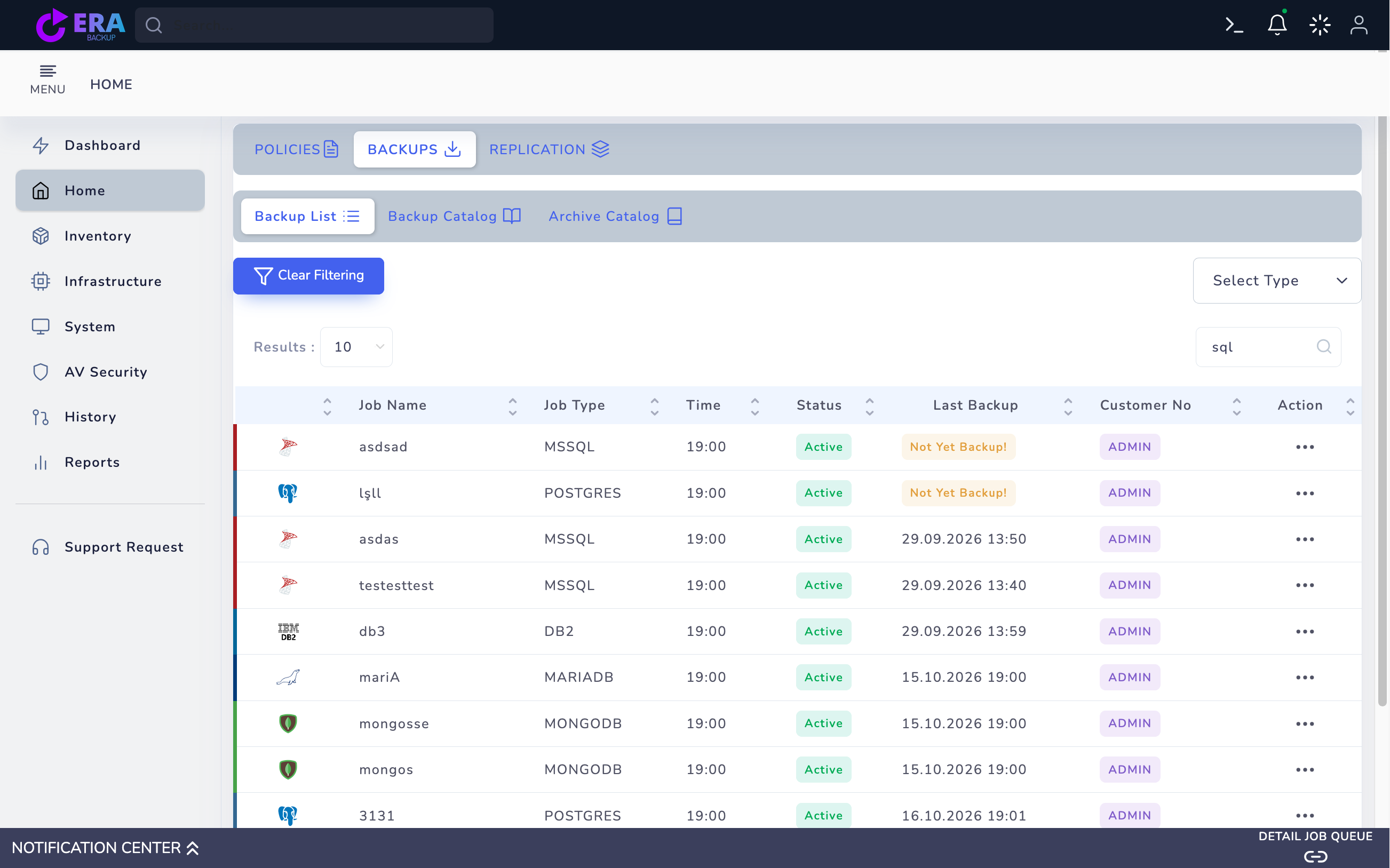
Find the correct database job in Home → Backups → Backup List. Compare Job Type, instance/database name, Last Backup and method. Do not treat Not Yet Backup or a missing object as a usable point. Agent database and OpenShift database records use different target forms.
Compare engine and Last Backup values. Not Yet Backup does not indicate a usable recovery point. Enlarge ↗
Expected result
A valid record for the correct engine and method is identified.
02
2. Select the time and chain in RESTORE
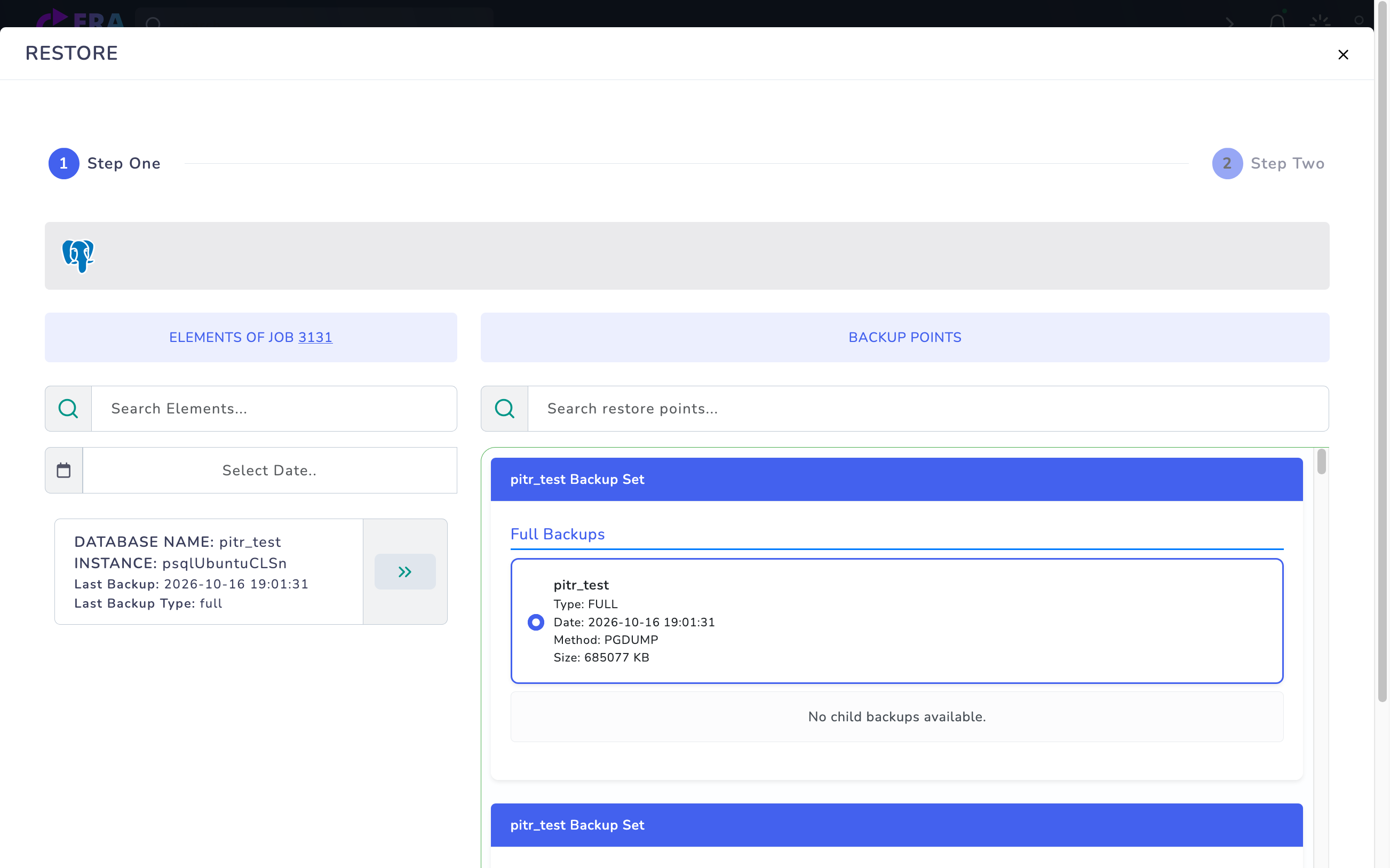
Open Step One through Action → Restore. Expand the instance/database item and inspect the appropriate Full and dependent points. Verify access to all components required for the recovery objective. pg_dump restores its dump point; choosing a date alone does not enable PITR, which requires a validated base backup and log/WAL chain.
PostgreSQL pitr_test record showing Method: PGDUMP and Full points. The pitr text in the database name is not evidence of PITR support. Enlarge ↗
Expected result
The recovery point and required chain are complete.
03
3. Choose a separate target in the agent workflow
Select Different Location in Step Two if offered. Set target agent/instance, new database name and data/log paths according to the engine form. If unavailable, do not switch to Original Location just to test; agree a method-appropriate isolated restore plan with the technical team. Do not assume direct overwrite or automatic join/seed into a SQL Server AG.
PostgreSQL PGDUMP → Different Location: Restore Agent, Database Name and Instance. The target name was left empty; Summary and Restore were not submitted.
Expected result
The target is defined without modifying source production data.
04
4. Prepare the OpenShift database target
For a database record check Target Namespace, Target Service / Host, Port, Target Database, Database Username, Credential Secret and Password Key. Prepare the target instance and empty test database in advance. PostgreSQL logical restore may clean and recreate objects; avoid a target containing existing data. Keep Secret values out of screenshots and output.
Expected result
The target service, privileges and empty database are ready.
05
5. Compare scope in Summary
Compare source database, method, time, target server/database and file paths. Stop for a target collision or overwrite risk. Submit Restore only for the approved test target after validating these values and the required chain. A preview screen is not evidence of a successful restore.
Expected result
The approved source and target are explicitly recorded.
06
6. Compare task results with the engine
Compare EraBackup task status with target engine errors and database state. For OpenShift also inspect Job/Pod results. Avoid repeatedly submitting a failed job to the same target; review any partially created database with the DBA. Do not assume automatic AG join/seed or log finalization behavior.
Command example
oc -n <TARGET_NAMESPACE> get jobs,pods
Expected result
Task results and target database state agree.
07
7. Complete data and application acceptance
Check expected schema, tables, critical row counts, character set and user privileges. Complete DBA-approved integrity checks for SQL Server and critical queries/application tests for PostgreSQL/MySQL. Record recovery point, versions, duration and result; redirecting production application traffic is a separate cutover.
Expected result
Usable data and application acceptance are documented.
COMMON QUESTIONS
Does a logical dump provide point-in-time recovery?
Not by itself. A dump restores its own point. PITR must be separately validated with an engine-appropriate base backup and continuous log/WAL/binlog chain.